

Billing and credits
Every Gateway request authenticates to Respan with a Respan API key. The Gateway supports two funding paths for access to the upstream model:
Model and credential availability can vary. Use the current Models page and provider settings to confirm the path available for the model you want to call.
Open Billing
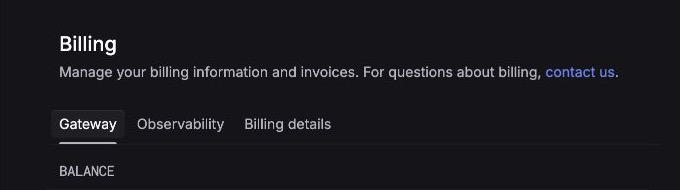
Go to Settings → Billing. The page separates billing into three tabs:
- Gateway shows your Gateway balance and credit controls.
- Observability contains the separate observability billing area.
- Billing details contains billing information and invoices.
Add Gateway credits
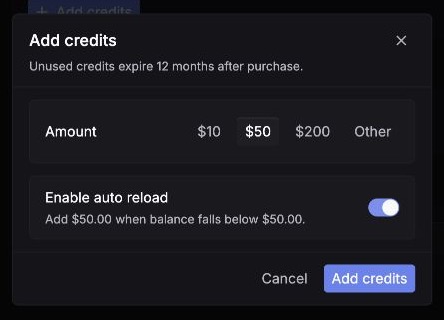
Unused credits expire 12 months after purchase. Review the current disclosure in the Add credits dialog before confirming.
Manage balance controls
The Gateway tab also exposes these controls:
- Auto reload replenishes the balance using the amount and threshold shown in its configuration.
- Low balance warning threshold controls when Respan warns you about a low Gateway balance.
Review these values after changing how your application uses the Gateway.
Use a provider key instead
BYOK connects Respan to credentials from your own provider account. Go to Settings → Providers, select a provider, and add the required credential fields.
See Provider keys for stored, request-scoped, load-balanced, and per-model credential options.