

Prompt composition
Reference one prompt from another and inject its rendered output at request time.
Build with the Respan MCP
We recommend installing the Respan MCP so your AI coding tool can work with your prompts, logs, and traces directly. Authenticate with your Respan API key from the API keys page:
See the MCP docs for OAuth setup and other clients.
New to prompts? Start with the Quickstart.
For schema, deployment, streaming, and logging, see Advanced features.
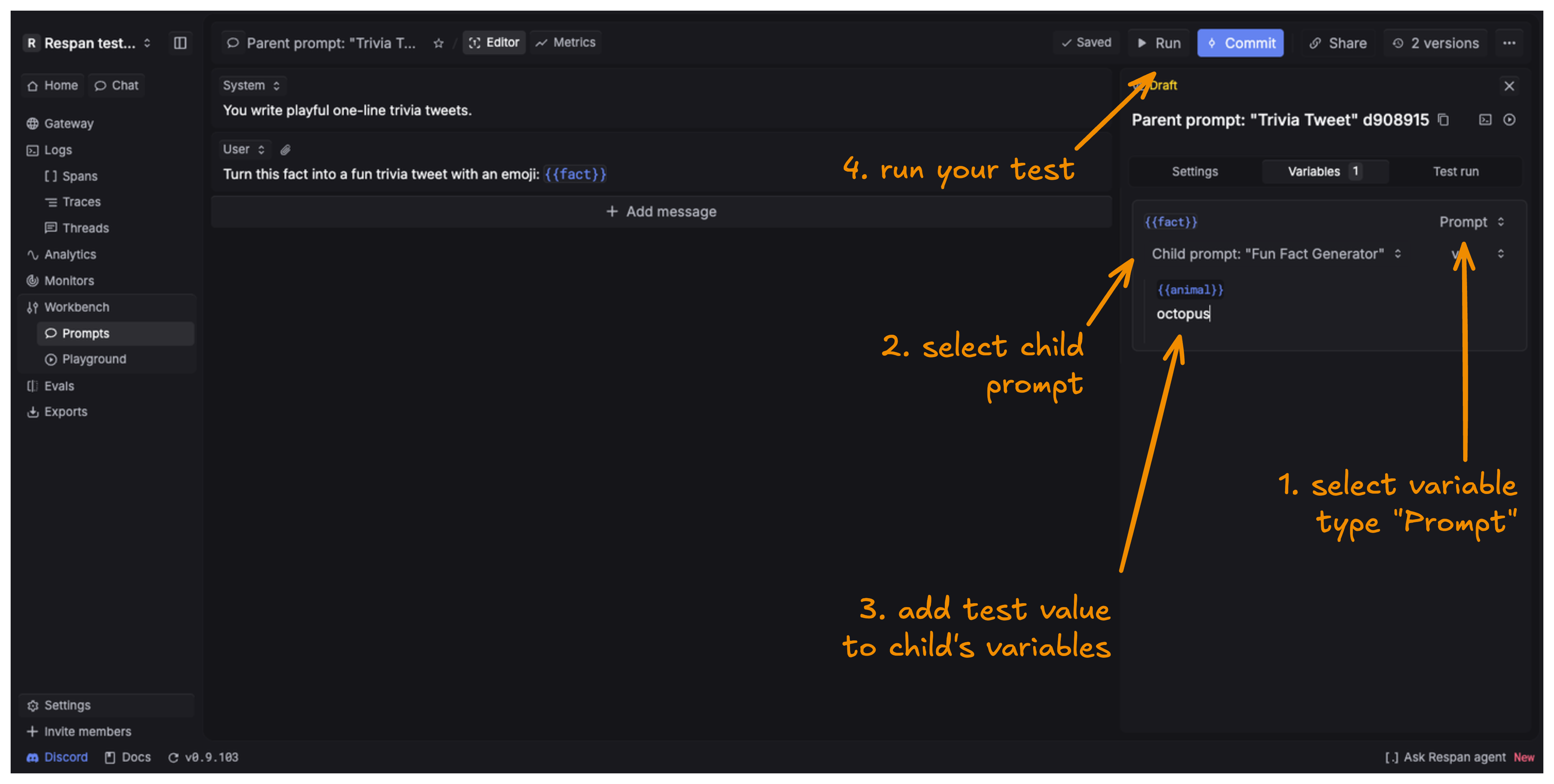
Prompt composition lets a variable in one prompt reference another prompt. At request time, the child is rendered first, converted to plain text, and inserted into the parent variable.
To use prompt composition, create two prompts: a child prompt and a parent prompt that has a {{variable}} where the child’s output will be injected.
Use in UI
Use in code
Composition limits:
- No circular references. A prompt can’t reference itself, directly or through another prompt (e.g. A → B → A). Cycles are rejected with HTTP 400.
- One level of nesting only. Composition supports a single parent → child chain (depth 2). A child prompt can’t embed yet another prompt, so its variables must be plain values. Going deeper returns HTTP 400.