

Limits
Control spend and usage with per-API-key caps, organization spend caps, and per-customer budgets.
Limits are guardrails on your gateway usage. They attach at three scopes you control: per API key, your whole organization, and per customer. Per-API-key limits (lifetime, recurring, and expiry) are configured on each key’s detail page. Organization spend caps and per-customer budgets share one form in Settings > Limits.
Limit scopes
A gateway request is checked against every applicable limit before the call is made. Crossing a warning threshold lets the request continue but fires a notification; hitting a block threshold rejects the request in real time. Notifications fire in both cases.
A blocked request never reaches an upstream provider, so provider retries and model fallbacks do not run for that rejection.
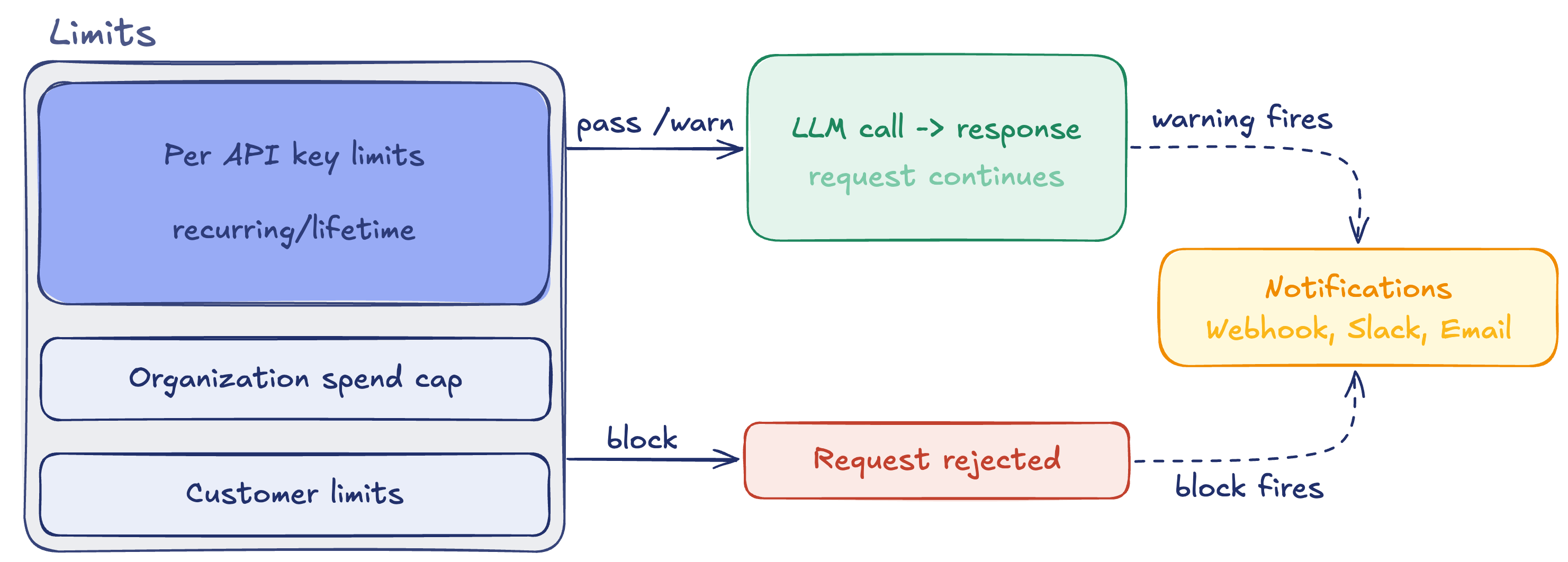
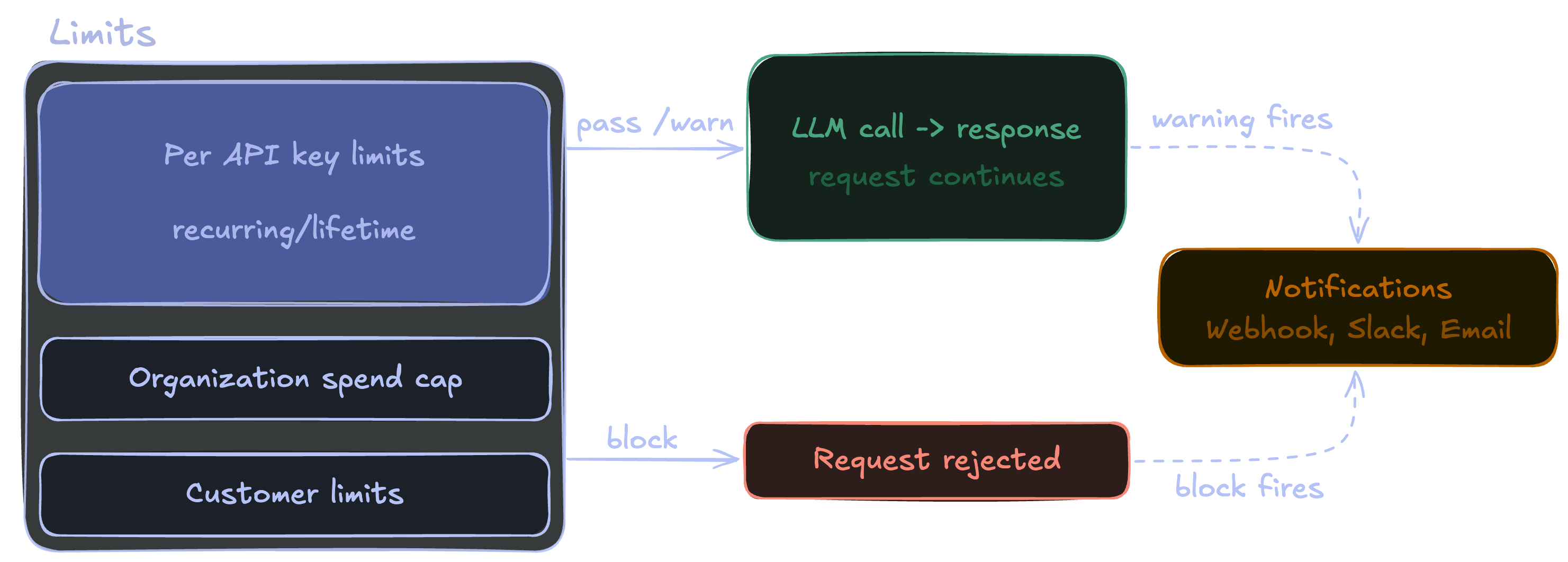
This page leads with the most granular scope: per API key. We then cover the organization and customer scopes.
Per-API-key limits
Limits scoped to a single API key let you cap a specific integration, contractor, or environment key without touching organization-wide spend. Each key can carry its own budget, usage caps, and expiry.
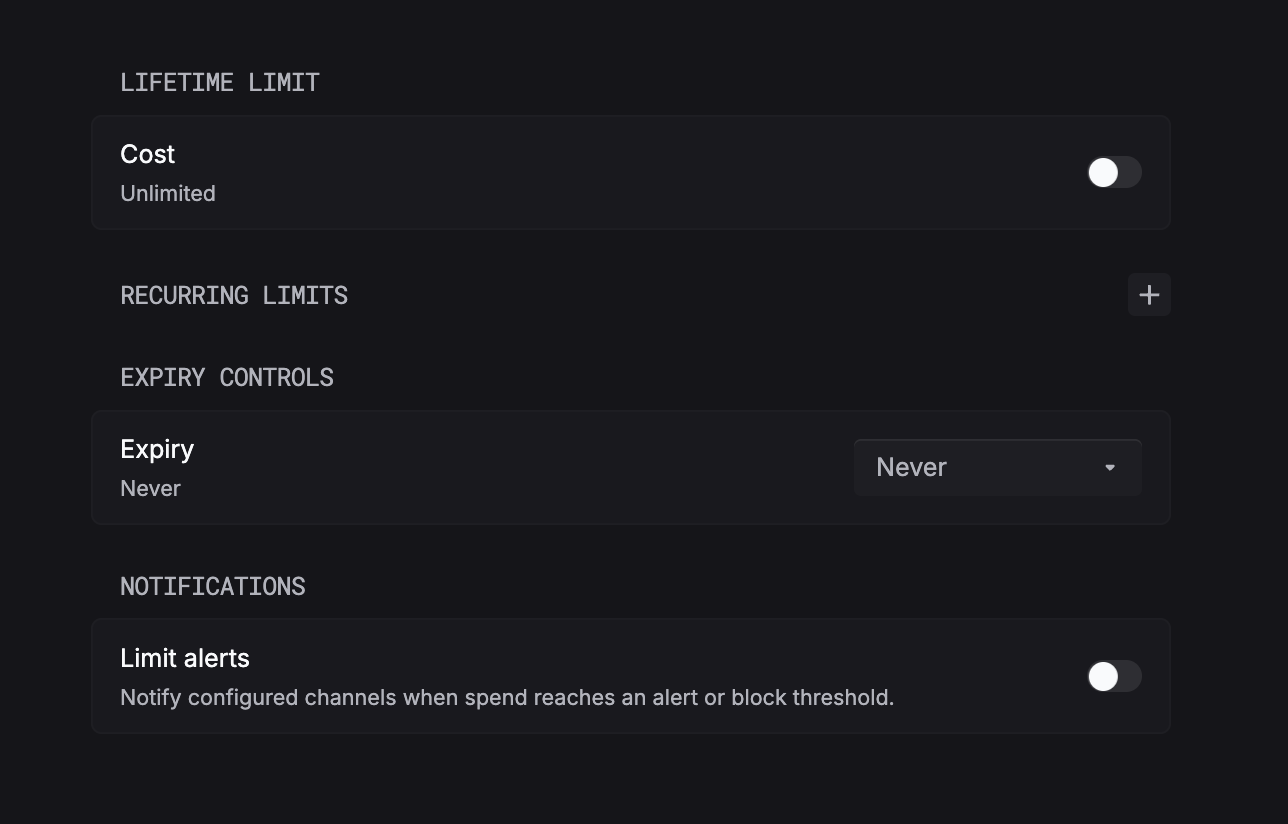
Per-API-key limits are configured on that key’s detail page. Each limit has an on/off toggle, and the page has its own Save button (and a Revoke key action).
Lifetime vs. recurring. A lifetime limit is cumulative and never resets. For example, a $50 lifetime cost cap on a demo key. A recurring limit resets each period. For example, 10,000 requests per day on a production key.
Set a lifetime limit (optional)
Under Lifetime limit, toggle on Cost to cap total spend over the key’s entire lifetime.
Set recurring limits (optional)
Under Recurring limits, toggle on any of Cost, Requests, or Tokens and set a value. These reset each period.
Separate keys per environment. Create separate API keys for test and production instead of using one key for both. You can then give each its own limits and expiry — for example, a tight recurring cap on a test key and a higher budget on production.
Warn vs. block
Every limit acts in one of two ways:
Warn: usage crossing the threshold sends a notification but requests keep flowing. The organization spend cap’s Warning threshold works this way, firing the spend_cap_warning_threshold_reached webhook. This is the pass / warn path. Note that the request still reaches the LLM.
Block: usage hitting the threshold rejects further requests in real time. The organization Spend cap and the per-customer limits work this way. This is the block path, in this case, the request is rejected.
Organization spend cap
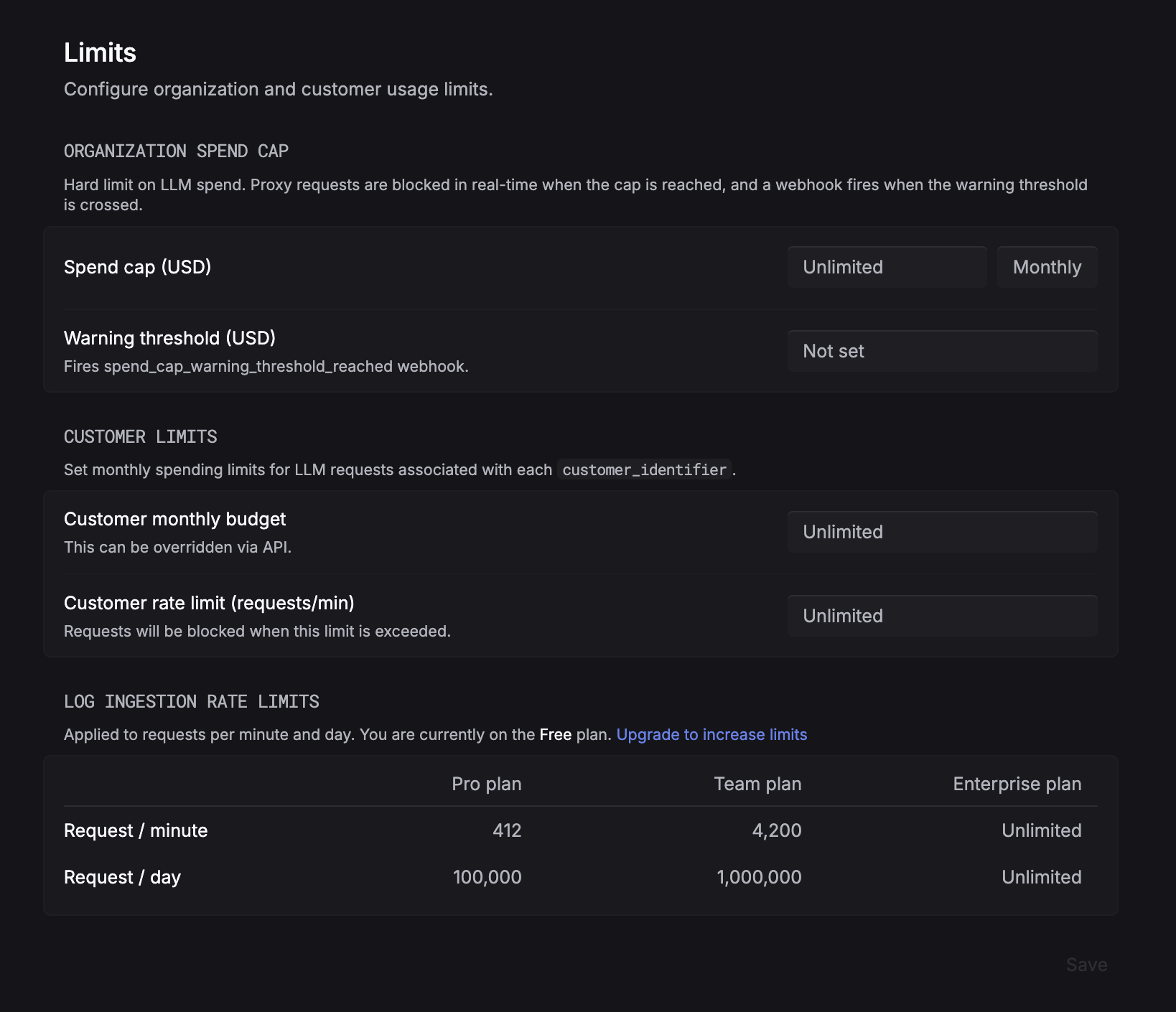
A hard limit on total LLM spend across your organization. Proxy requests are blocked in real time once the cap is reached, and a webhook fires when the warning threshold is crossed.
Set the billing period
Under Organization spend cap, choose the Billing period, this is how often the spend cap will reset (for example, Monthly).
Set the spend cap
Set Spend cap (USD) to your hard limit. Proxy requests are blocked in real time once the cap is reached. Leave it as Unlimited for no cap.
Customer limits
Monthly spending limits applied to LLM requests associated with each customer_identifier. These enforce the block path per customer.
- Customer monthly budget: the monthly spend allowed per customer. Can be overridden per customer via the API.
- Customer rate limit (requests/min): requests are blocked when a customer exceeds this rate.
Set both under Customer limits on the same page, then click Save.
Notifications
The organization spend cap’s Warning threshold fires the spend_cap_warning_threshold_reached webhook when crossed. Per-API-key Limit alerts notify your configured channels when spend reaches an alert or block threshold.
To learn how alert channels and webhooks are set up, see Monitors & notifications.
Looking for API rate limits? See API rate limits.