

Create custom behaviors
Define a product-specific signal, train it from labeled logs, and improve its verdicts.
Create a custom behavior when the built-in catalogue does not describe a semantic pattern that matters to your product.
Enable Behaviors before creating a custom behavior. Changing this organization-level setting can require an organization admin.
Write a good definition
Describe one meaning that another person could label consistently. Define the boundary instead of listing keywords.
Plan both matching and nearby non-matching examples before creating the behavior.
Create a draft
In Behaviors, select New custom behavior, then complete the draft:
Polarity controls how the behavior is grouped in analytics; it does not change the classifier.
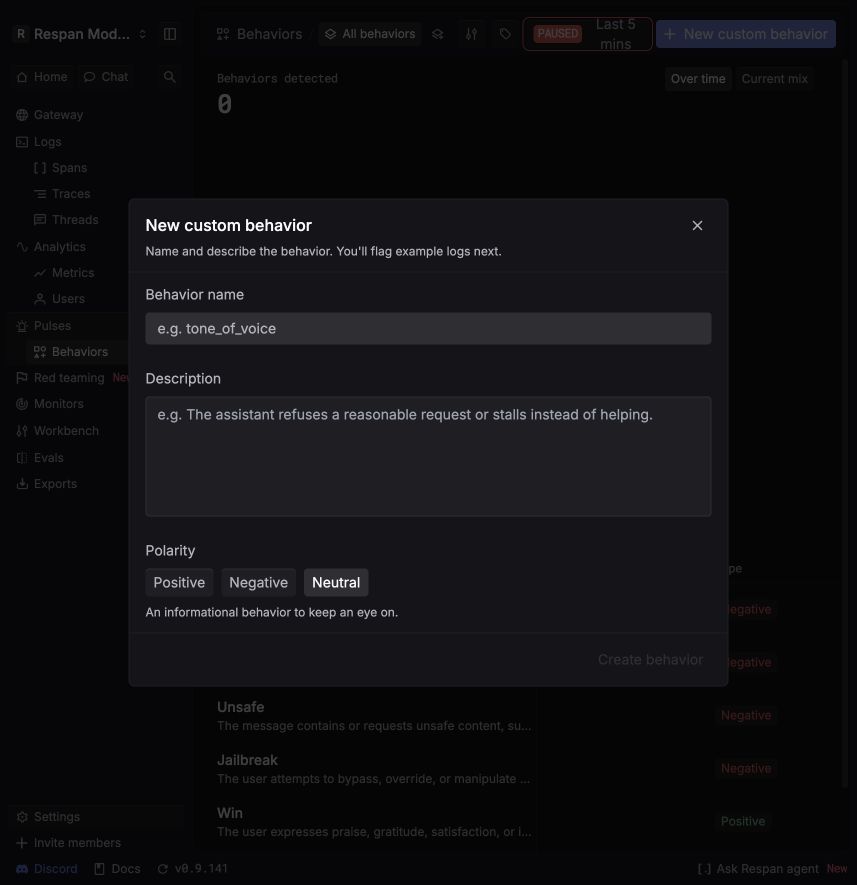
Add and review examples
Training requires:
- 4 to 200 examples
- No more than 4,000 characters per example
- At least one matching example and one non-matching example
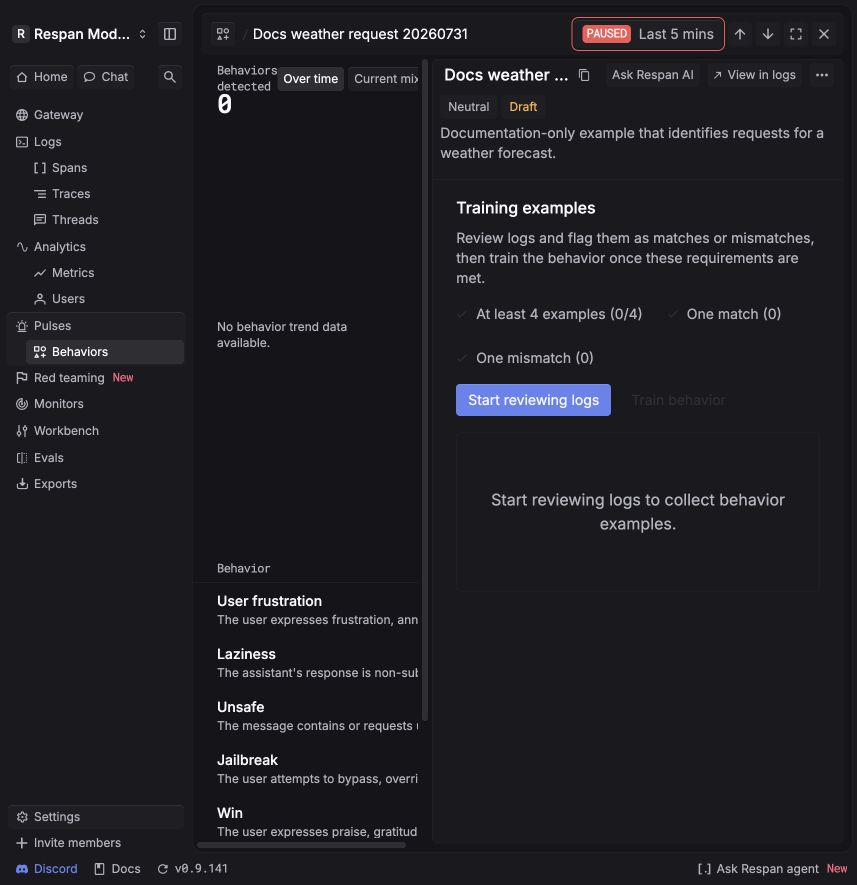
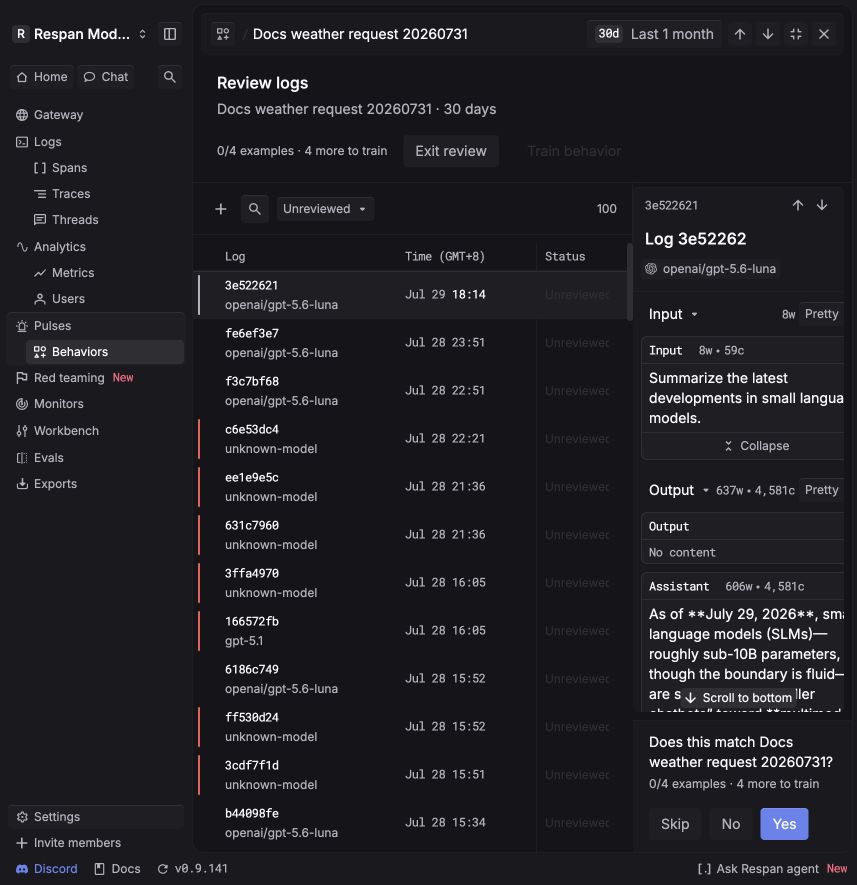
Choose a time range with representative traffic, then select Start reviewing logs. For each selected log:
- Select Yes when the behavior applies.
- Select No when it does not apply.
- Select Skip when the example is ambiguous or not useful for training.
Use examples that express the same meaning in different words and tones. Include hard non-matches close to the boundary, not only obviously unrelated logs. Four examples satisfy the minimum but do not guarantee a reliable classifier.
Train the behavior
Select Train behavior after the minimum example requirements are satisfied. Training is asynchronous and fits a lightweight classifier from your examples; it does not fine-tune a foundation model.
If a retraining attempt fails, the previously ready classifier remains available. Retry the training job or contact support if failures continue.
Manage and improve the behavior
From the behavior’s actions menu, you can update its description or polarity, manage examples and tags, disable it without deleting it, or delete it when it is no longer needed. The name remains immutable.
- Editing the examples returns a ready behavior to Draft and requires training again.
- Editing only the description, polarity, or tags preserves its current training state.
- Disabling a behavior stops new classification and hides it from behavior analytics and filters while retaining its configuration.
Correct an incorrect verdict
Feedback is available for custom behaviors. When a classified span has the wrong verdict:
- Open the custom behavior result.
- Flag the verdict as incorrect.
- Wait while Respan applies the feedback asynchronously.
Select Undo on a flagged result to remove its corrective example and queue another refit. This workflow does not change built-in behavior verdicts.