

Views & saved filters
Views & saved filters
Set up Respan
- Sign up — Create an account at platform.respan.ai
- Create an API key — Generate one on the API keys page
- Add credits or a provider key — Add credits on the Credits page or connect your own provider key on the Integrations page
Use AI
Add the Docs MCP to your AI coding tool to get help building with Respan. No API key needed.
What are views?
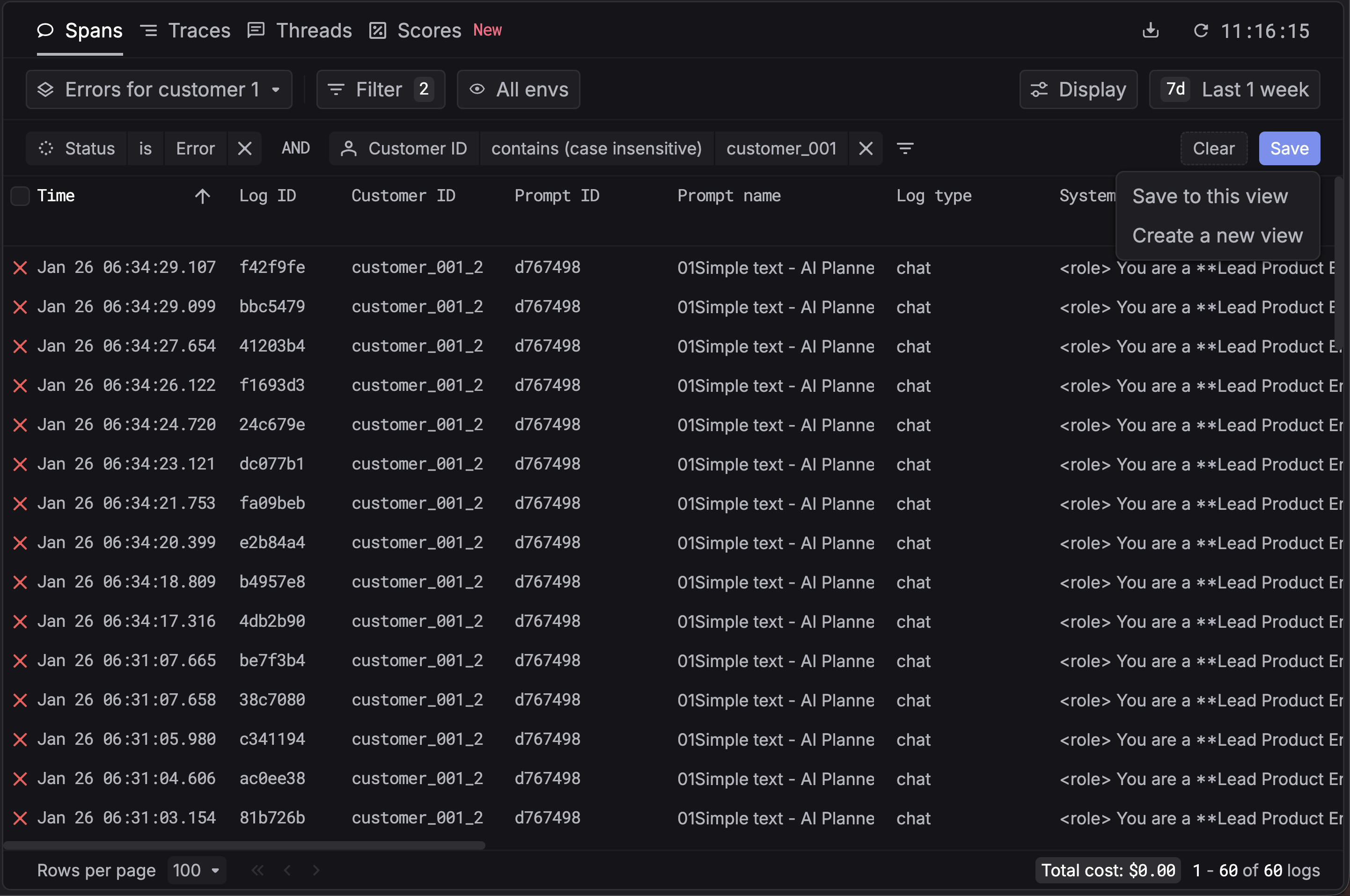
Views are saved filter configurations. When you apply filters on Logs, Traces, Users, Prompts, or elsewhere in Respan—for example, by status, model, user, timestamp, or custom properties—you can save that filter setup as a view. Views let you reuse the same filters with one click instead of reconfiguring them each time.
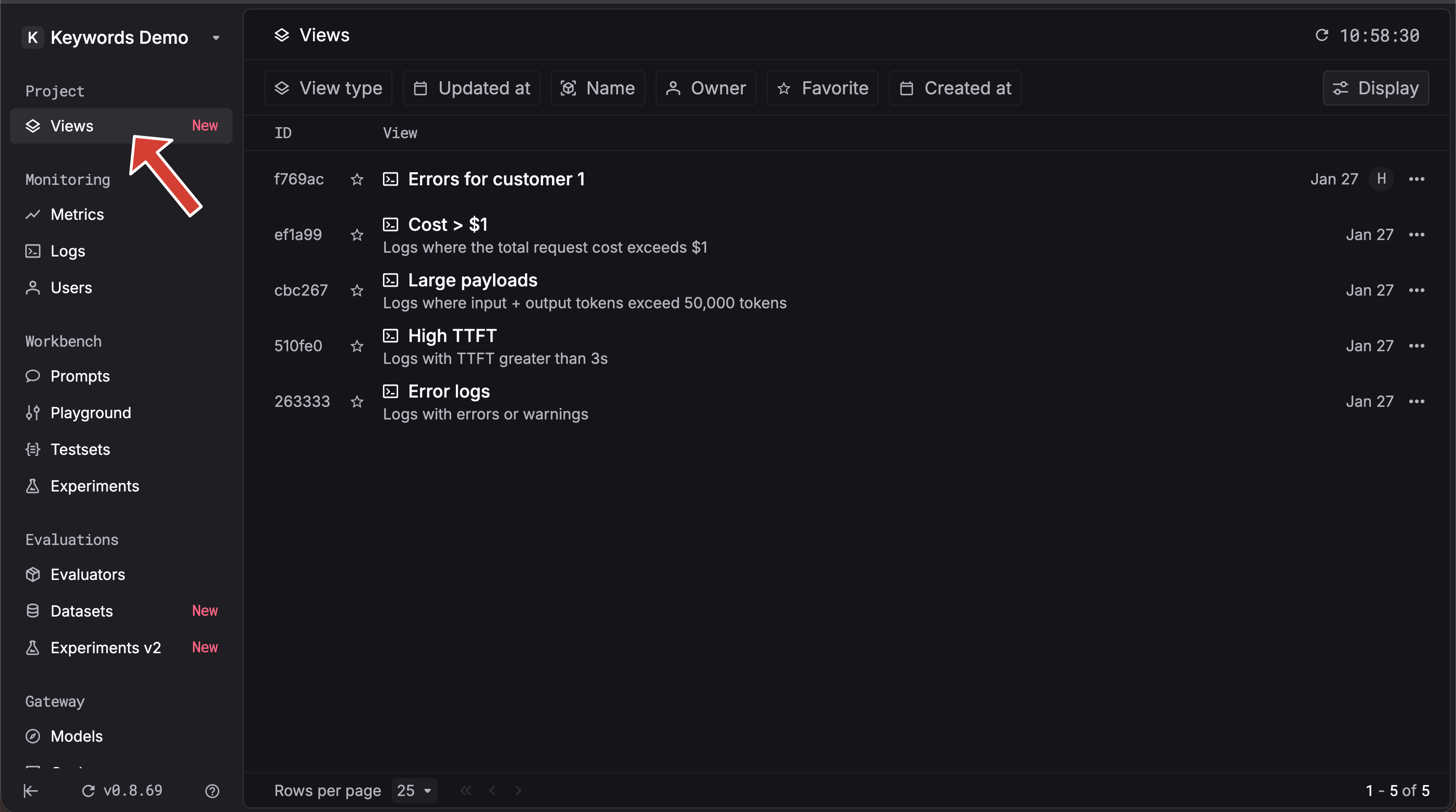
Where you create filters
You can set up filters in Logs, Traces, Users, Prompts, and more:
- Logs — Filter by status, model, user, timestamp, custom properties, and more. Use the Filter button on the Logs page.
- Traces — Filter traces by workflow, metadata, customer identifier, and other fields on the Traces page.
- Users — Filter users by identifier, usage, and related fields.
- Prompts — Filter prompts by name, model, and other attributes.
- And more — Views work across filtered surfaces throughout Respan.
Build the filter combination you care about (e.g. “production errors” or “high-cost requests”), then save it as a view.
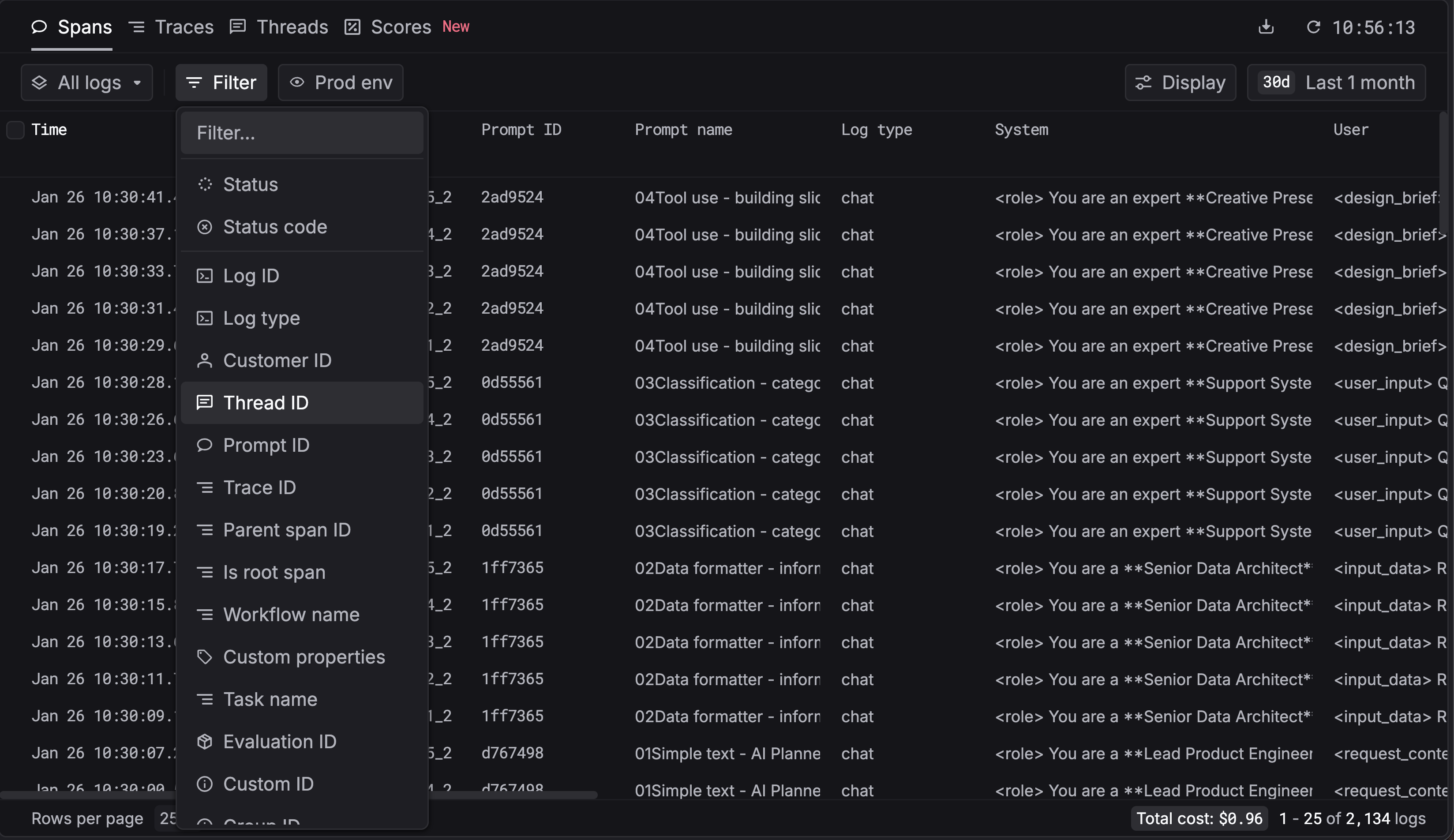
Steps to save a filter as a view
Apply filters in Logs, Traces, Users, Prompts, or more
Open Logs, Traces, Users, Prompts, or any filtered surface and apply the filters you want (status, model, user, custom properties, etc.).
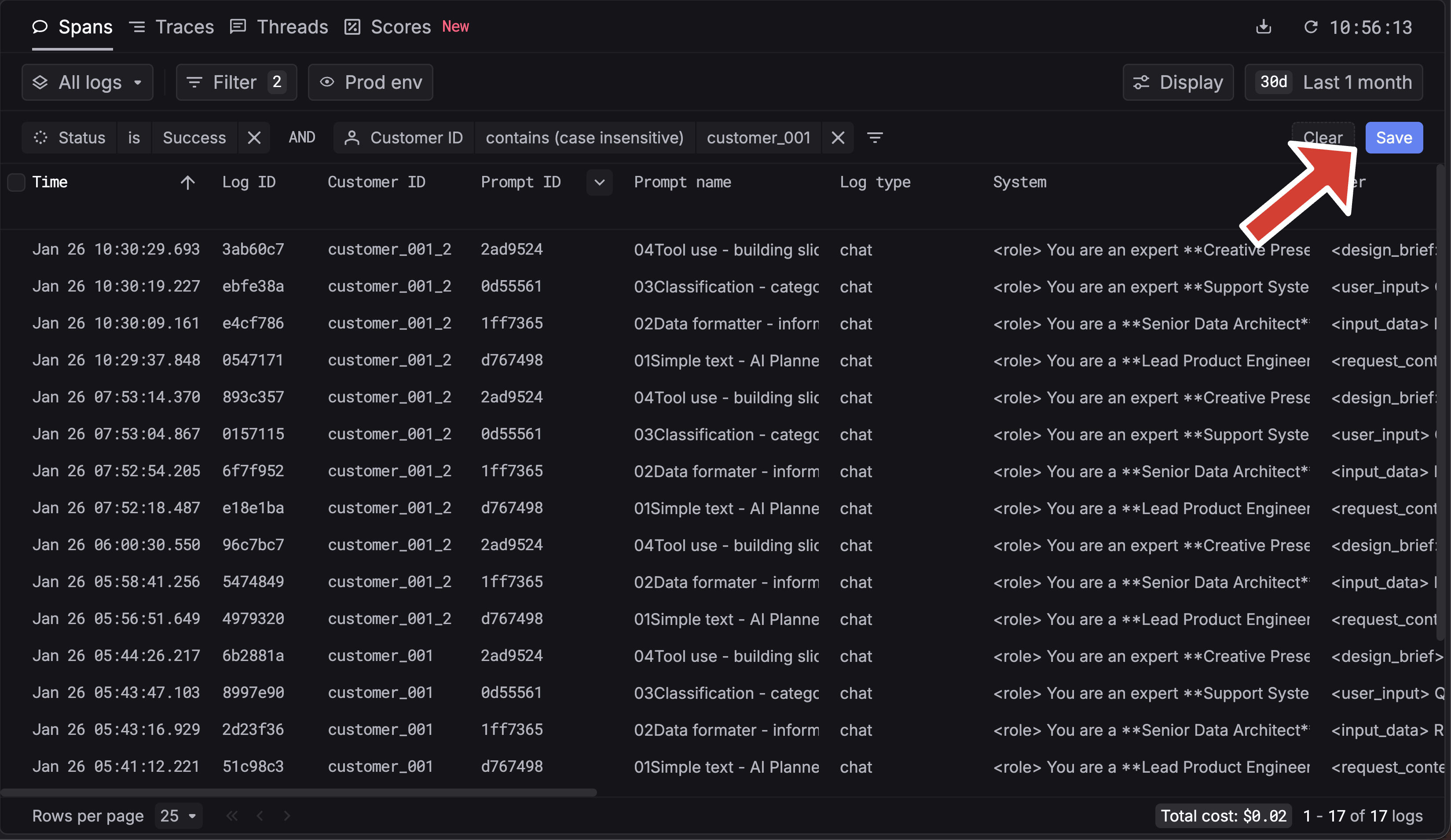
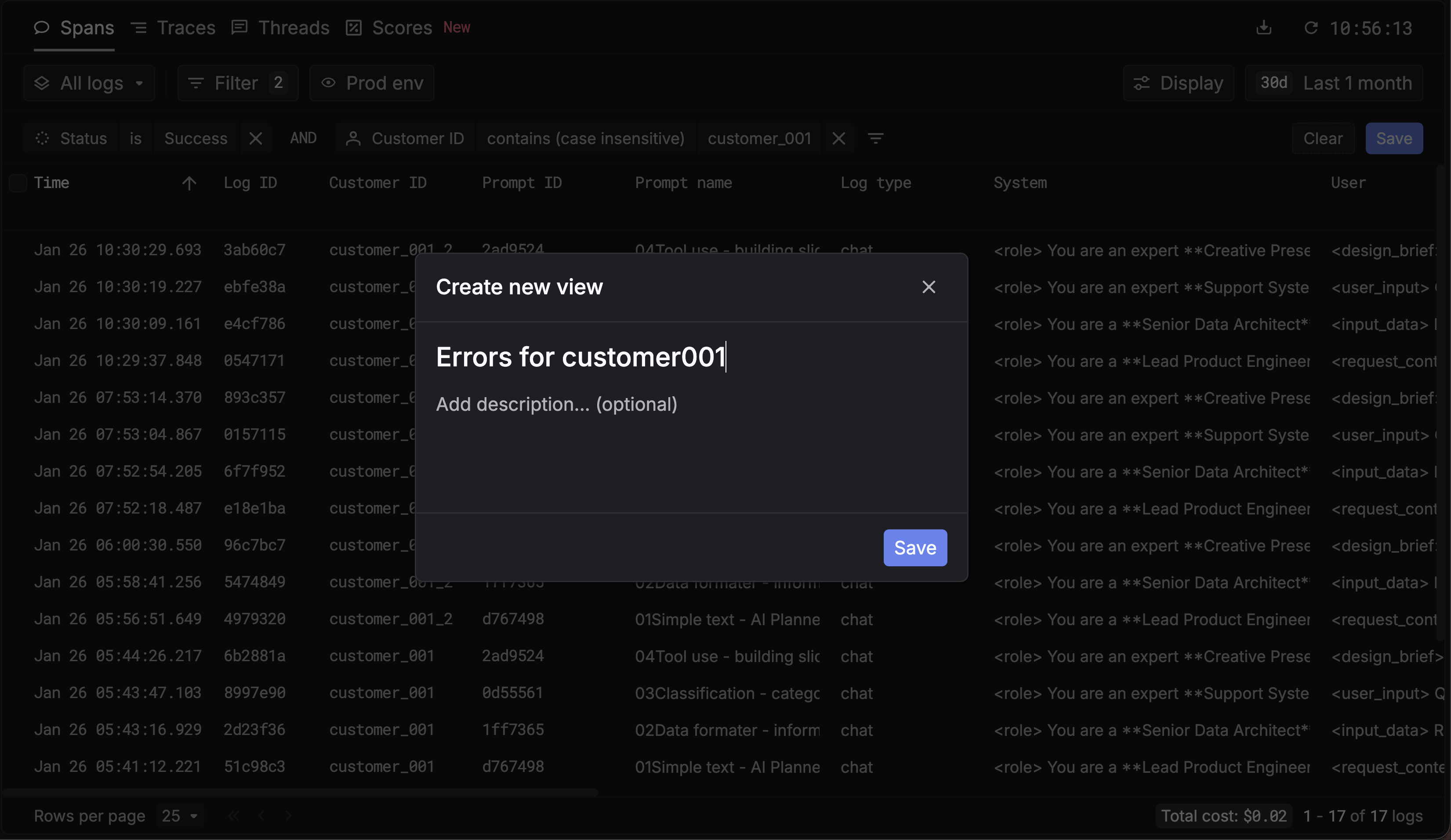
Use and manage views
-
Apply a view — Select a saved view from the views list to instantly apply its filters.
-
Change filters and save — When you’re in a view, you can change the filters, then Save to update the current view or Save as new to create a new view from the current filters.
Resources
- Filters API Reference — Filter logs, traces, users, prompts, and more programmatically; filters support operators like
gt,gte,contains,in, and more.
Additional
Get started with logging and filtering LLM requests.
Instrument workflows and filter traces.
Complete API documentation for filtering logs, traces, users, prompts, and more.
Need help?
Join our Discord — we’ll help you get the most out of views and filters.