Quickstart

Respan AI gateway supports you call 250+ LLMs using the same input/output format.

  1. Sign up — Create an account at platform.respan.ai
  2. Create an API key — Generate one on the API keys page
  3. Add credits or a provider key — Add credits on the Credits page or connect your own provider key on the Integrations page

Add the Docs MCP to your AI coding tool to get help building with Respan. No API key needed.

1{
2 "mcpServers": {
3 "respan-docs": {
4 "url": "https://mcp.respan.ai/mcp/docs"
5 }
6 }
7}

What is AI gateway?

Respan’s AI Gateway is a gateway that lets you interface with 250+ large language models (LLMs) via one unified API.

Considerations:

  • May not be suitable for products with strict latency requirements (50 - 150ms added).
  • May not be ideal for those who do not want to integrate a third-party service into the core of their application.

Use AI gateway

1. Get your Respan API key

After you create an account on Respan, you can get your API key from the API keys page.
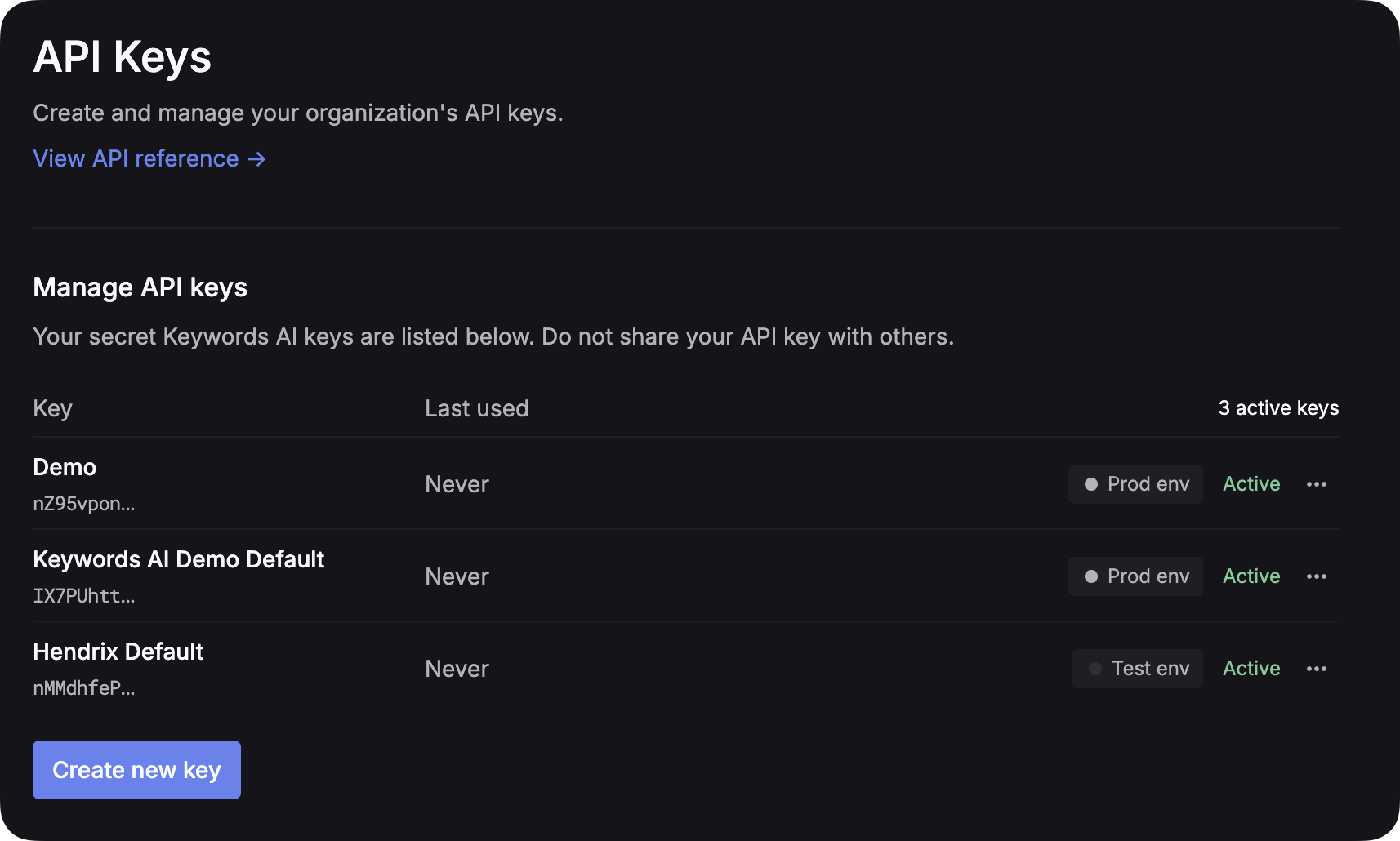
Create API key placeholder

2. Set up LLM provider API key

Environment Management: To separate test and production environments, create separate API keys for each environment instead of using an env parameter. This approach provides better security and clearer separation between your development and production workflows.

For all AI gateway users, you have to add your own credentials to activate AI gateway. We will use your credentials to call LLMs on your behalf.
For example, if you want to use OpenAI, you have to add your OpenAI API key to activate AI gateway. We won’t use your credentials for any other purposes.

3. Call a LLM

You can use the standard API call to connect 250+ LLMs.

1import requests
2def demo_call(input,
3 model="gpt-4o-mini",
4 token="YOUR_RESPAN_API_KEY"
5 ):
6 headers = {
7 'Content-Type': 'application/json',
8 'Authorization': f'Bearer {token}',
9 }
10
11 data = {
12 'model': model,
13 'messages': [{'role': 'user', 'content': input}],
14 }
15
16 response = requests.post('https://api.respan.ai/api/chat/completions', headers=headers, json=data)
17 return response
18
19messages = "Say 'Hello World'"
20print(demo_call(messages).json())

4. Parameters

We support all OpenAI parameters, which is the standard format for LLMs. You can check out important OpenAI parameters in this page. You can also learn more about OpenAI parameters here.

Use these when you want to achieve specific goals. For example, you can use fallback_models to specify fallback models when the primary model is down. You can check out all Respan parameters in this page.

Supported models

Browse available models on the Models page. You can see each model’s description, pricing, and other metrics.

Model family

Click an exact model to see its model family — a group of models hosted by different LLM providers.

Integration code

Click the Code button to copy the integration code with the language you are using.

Call models in different frameworks

1from openai import OpenAI
2
3client = OpenAI(
4 base_url="https://api.respan.ai/api/",
5 api_key="YOUR_RESPAN_API_KEY",
6)
7
8response = client.chat.completions.create(
9 model="claude-3-5-haiku-20241022",
10 messages=[
11 {"role": "user", "content": "Tell me a long story"}
12 ]
13)
