Trace your first call
Get your first trace in Respan in 5 minutes.
1. Sign up
If you don’t have a Respan account, sign up for free at platform.respan.ai.
2. Instrument your app
In your project directory, run the Respan CLI setup script:
The CLI uses your preferred coding agent (Claude Code, Cursor, Codex, etc.) to detect your project language, install the Respan SDK, and instrument your code. If you don’t have a Respan API key set in your environment, it creates one for you and prints an export RESPAN_API_KEY=<key> command to run in your shell.
3. View traces
Once instrumented, your app logs traces to Respan for every AI call.
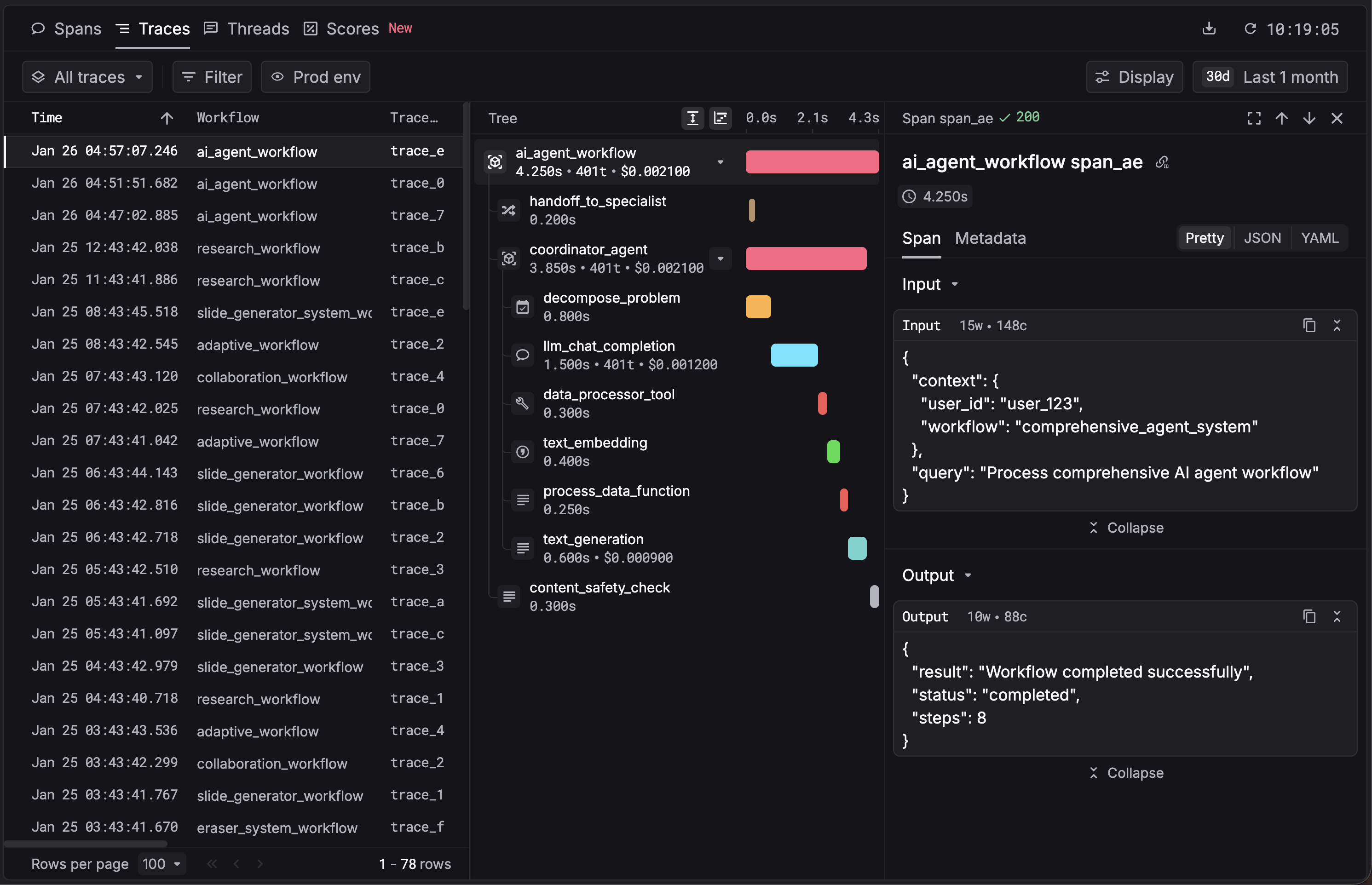
Or try it live without installing anything.
What’s next
- Traces: Set up tracing manually for each SDK, add decorators, and explore advanced patterns
- Gateway: Route LLM calls through Respan for logging, caching, and model switching
- Evals: Score and evaluate your LLM outputs
- Integrations: See all supported frameworks and LLM providers

