Webhooks
Set up Respan
- Sign up — Create an account at platform.respan.ai
- Create an API key — Generate one on the API keys page
- Add credits or a provider key — Add credits on the Credits page or connect your own provider key on the Integrations page
Use AI
Add the Docs MCP to your AI coding tool to get help building with Respan. No API key needed.
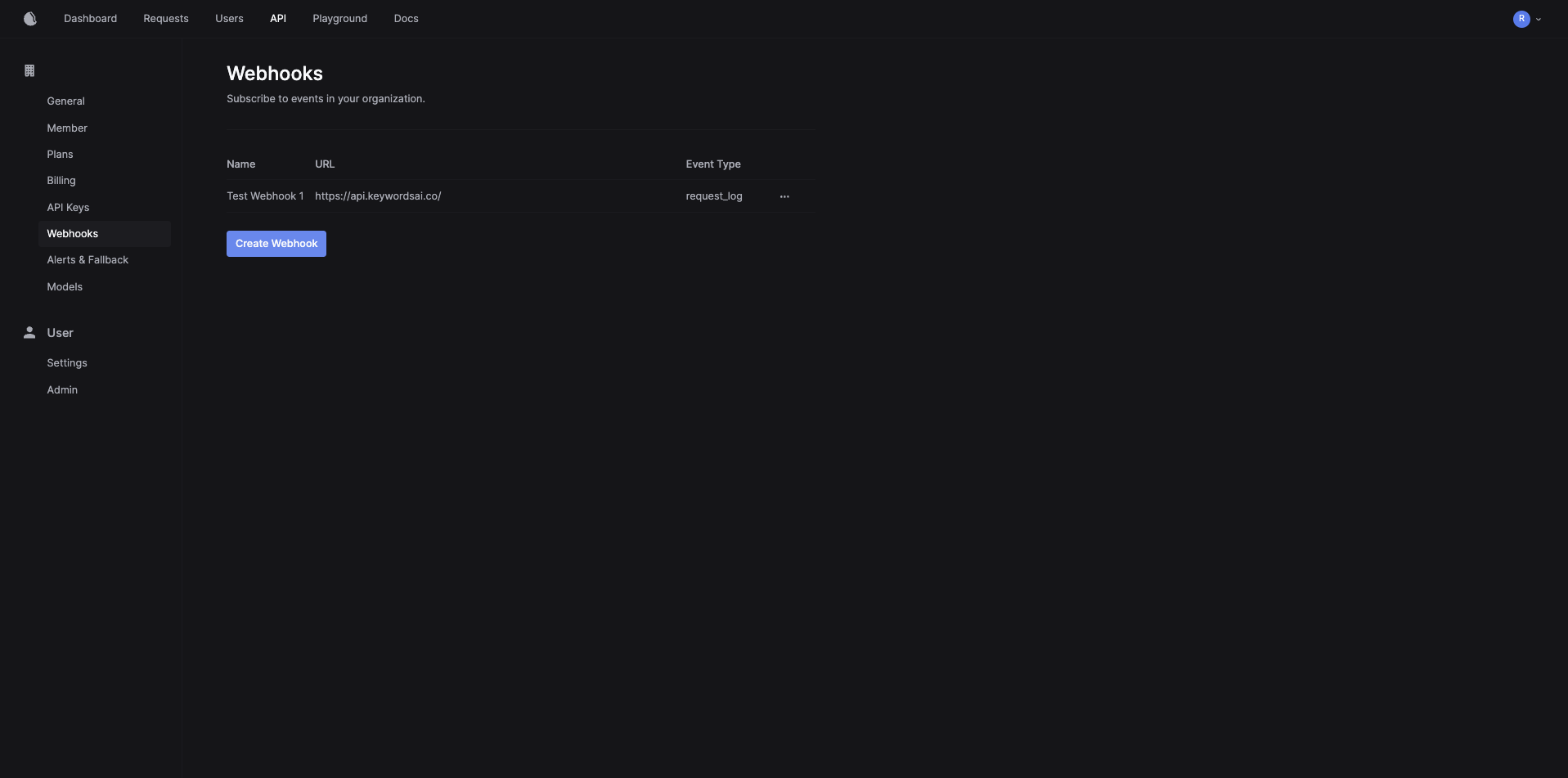
The Respan platform provides a webhook system that allows you to receive notifications when certain events occur.
For example, when Respan logs a new request, your webhook and point can receive this notification as an API call from Respan.
Authentication
Respan uses digital signature strategy for webhook data verification.
The data sent from Respan undergoes the following process before you can use it:
- The data is ready in Respan’s backend
- The Respan encodes the data with your API Key string retrieved from the action’s header (we don’t store your API key) that triggers the webhook, using SHA-256 algorithm.
- The signature is then passed to
X-Respan-Signature. This is case sensitive.
- You can verify then data and accept or reject the payload
Using Webhook Secrets
Instead of using your API key for webhook signature verification, you can use a dedicated webhook secret. This provides better security by allowing you to use a separate secret specifically for webhook validation without exposing your API key.
When creating or editing a webhook in the Respan platform, you can copy the webhook secret and use it for signing the signature instead of using the API key.
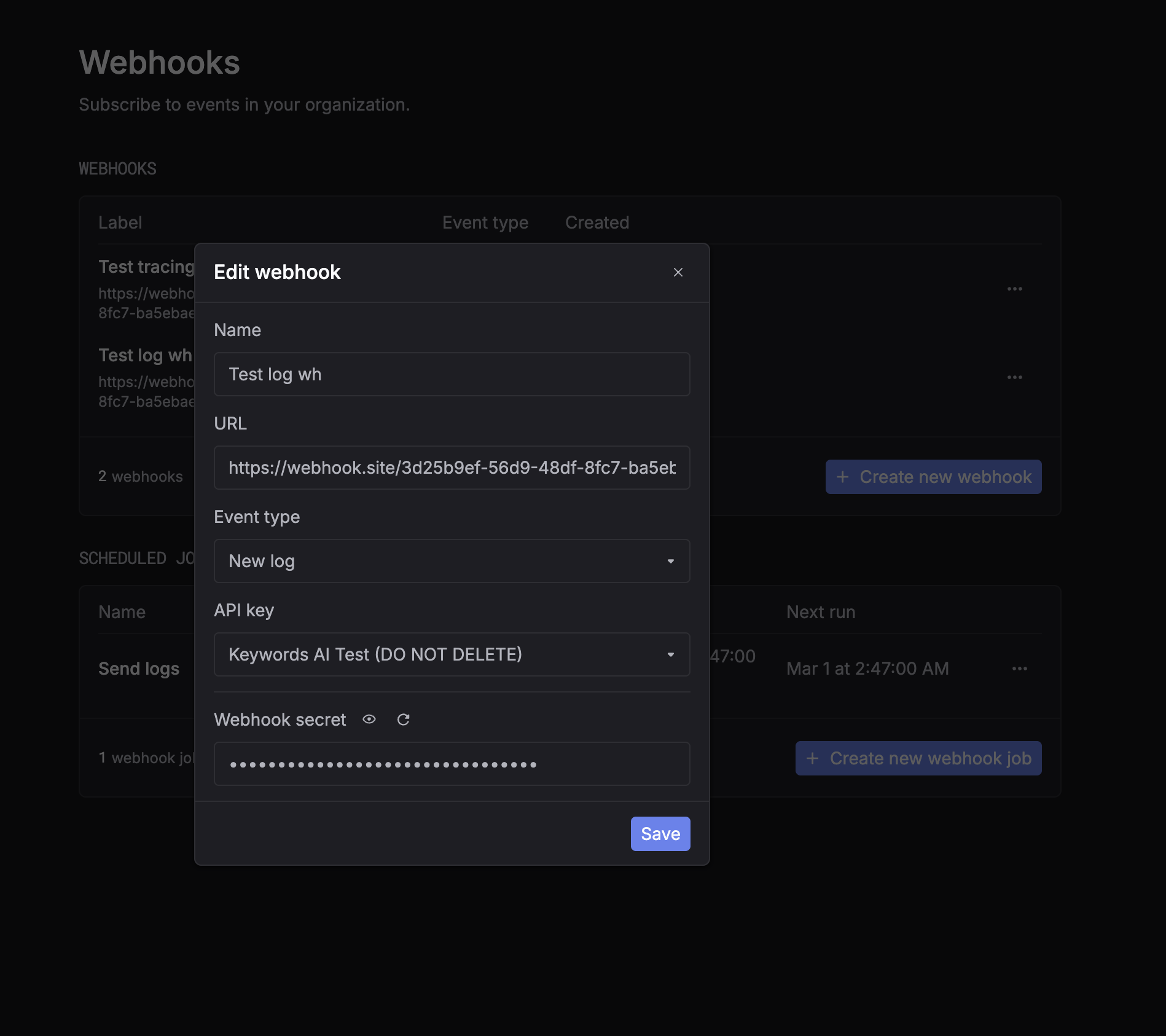
To use the webhook secret, simply replace YOUR_RESPAN_API_KEY with your webhook secret in the verification code:
Example for using Webhooks
- Define a webhook endpoint in your application.
This endpoint sends an email to the admin when a webhook event is received.
-
Create a new webhook in the Respan platform.
- Go to the Webhooks page in the Respan platform.
- Click on the “Create Webhook” button, a modal will appear.
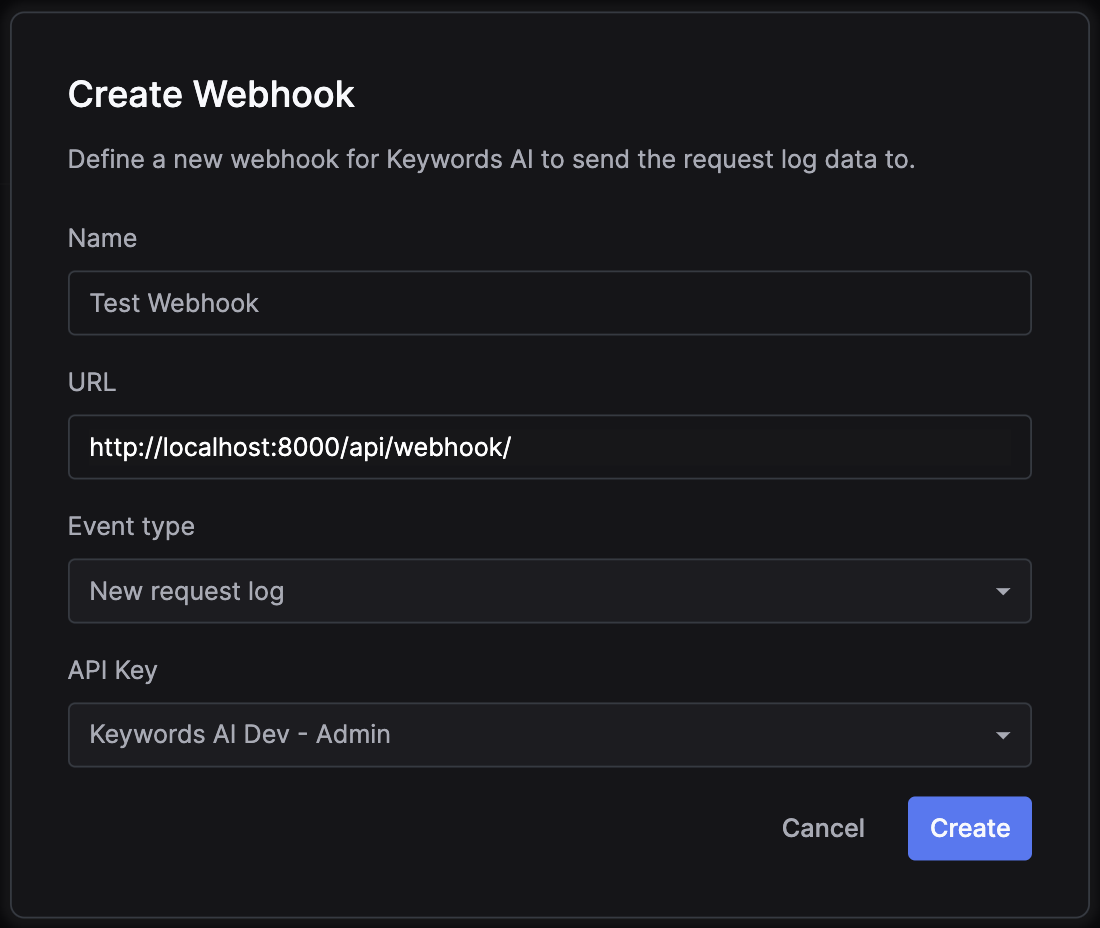
- Define the webhook URL. In this demo, it is
http://localhost:8000/api/webhook/. - Define the event type that triggers the webhook. In this demo, it is
New request log(when an API call is logged). - Define the API Key you want to associate this webhook with. In this demo, it is an admin development key.
- (Optional) Copy the webhook secret from the webhook settings if you want to use it instead of the API key for signature verification.
- Click on the “Create” button.
-
Make an API call to the chat completion endpoint
-
Receive the email.

