In section 1 the prompt was a string literal in Python code. That works once. It does not work after the first three product changes.
This section covers two related skills: how to write a good prompt, and how to manage prompts over time so a real team can ship changes safely.
Anatomy of a useful prompt
A prompt is the input you send to the model. The simplest version is one user message. A useful production prompt usually has:
A system message with the role description, constraints, and format requirements. Example:
You are a customer support agent for AcmeCorp. Answer questions using ONLY
the information in the provided context. If the context does not contain
the answer, say "I don't have that information" and offer to escalate.
Respond in JSON with fields `answer` (string) and `confidence` (low/medium/high).
Variables for dynamic content. Most prompt platforms use {{variable_name}} syntax:
Customer's name: {{customer_name}}
Order ID: {{order_id}}
Question: {{question}}
Few-shot examples when the format or behavior is non-obvious. Showing 2-3 examples of input and expected output is usually more reliable than describing the format in words.
A user message with the actual query at runtime.
What separates a good prompt from a vague one:
- Specific constraints over polite suggestions. "Respond in valid JSON" beats "respond in JSON if possible."
- Negative instructions explicitly. "Do not invent prices" beats hoping the model figures it out.
- Edge cases handled in the prompt, not at the application layer. "If the customer asks about a refund outside the 30-day window, politely decline."
- Output format pinned. JSON or structured text is much easier to parse and test than free prose.
Prompt design takes practice. The fastest way to improve is to look at production failures, identify the failure pattern, and tighten the prompt against it.
Why prompts should not live in source code
By the time your product matters, prompts have these properties:
- They change frequently. Sometimes daily.
- Non-engineers (product managers, support leads, legal) need to change them.
- A bad change can drop quality 20% overnight.
- You need to know which version produced any past response.
- You need to roll back fast.
- You want to A/B-test a change before shipping to 100%.
Strings in code do not give you any of this. PRs are too slow. git blame does not capture which version was deployed in production. Rollback means reverting and redeploying.
The fix is a prompt registry: prompts live outside your code, in a system that gives them versions, environments, and a deployment history.
How a prompt registry works
A prompt registry has four pieces:
- The prompt: the messages, the model, the parameters (temperature, max_tokens), and the variables it expects.
- Versions: every commit creates a new version with a diff against the previous.
- Environments: dev, staging, prod (or however many you need). The same prompt can be version 7 in dev, version 5 in staging, version 3 in prod.
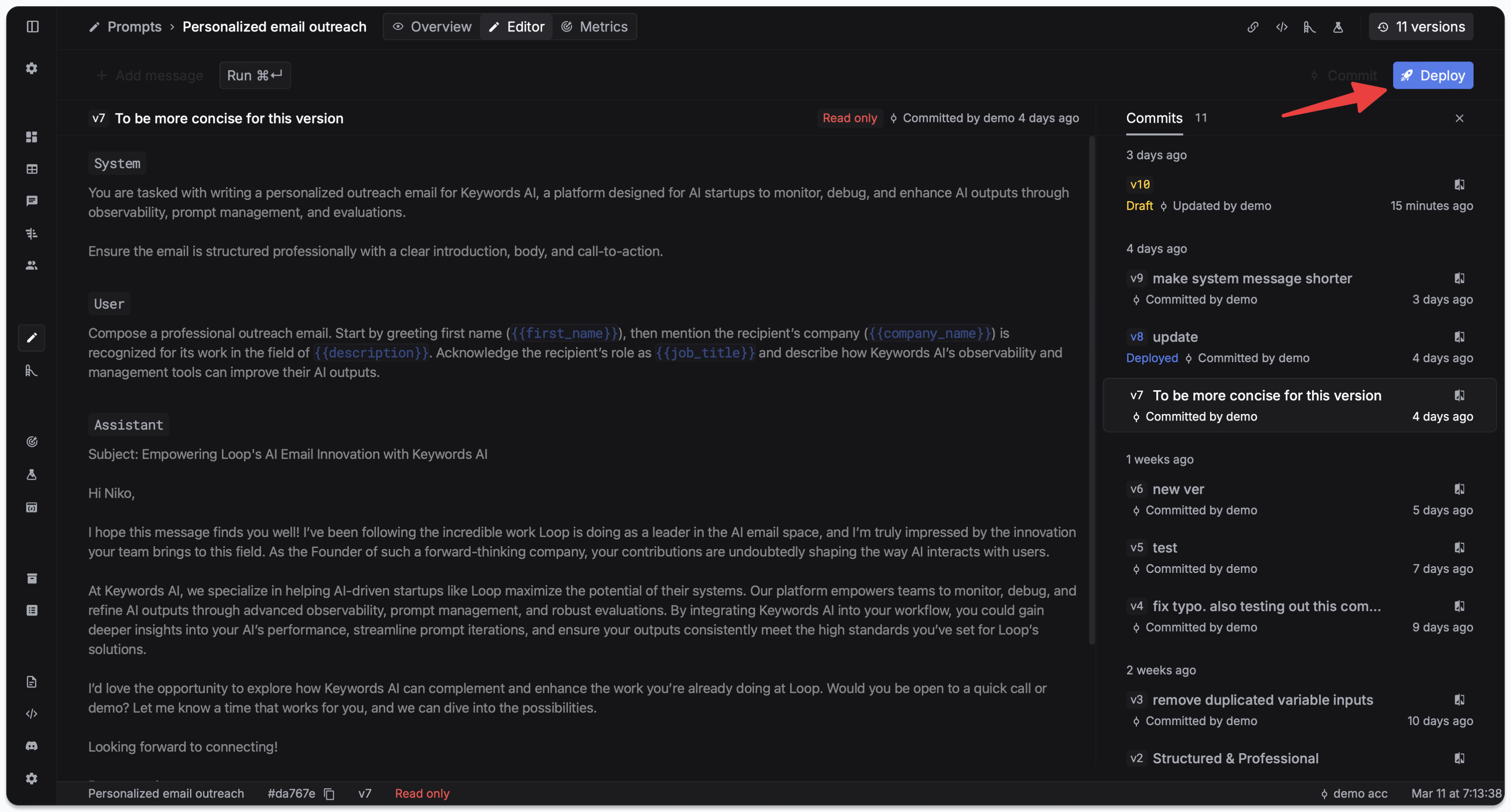
- Deployments: the act of promoting a version to an environment. Reversible.
Your application code does not contain the prompt. It references the prompt by ID and passes in runtime variables.
A working example
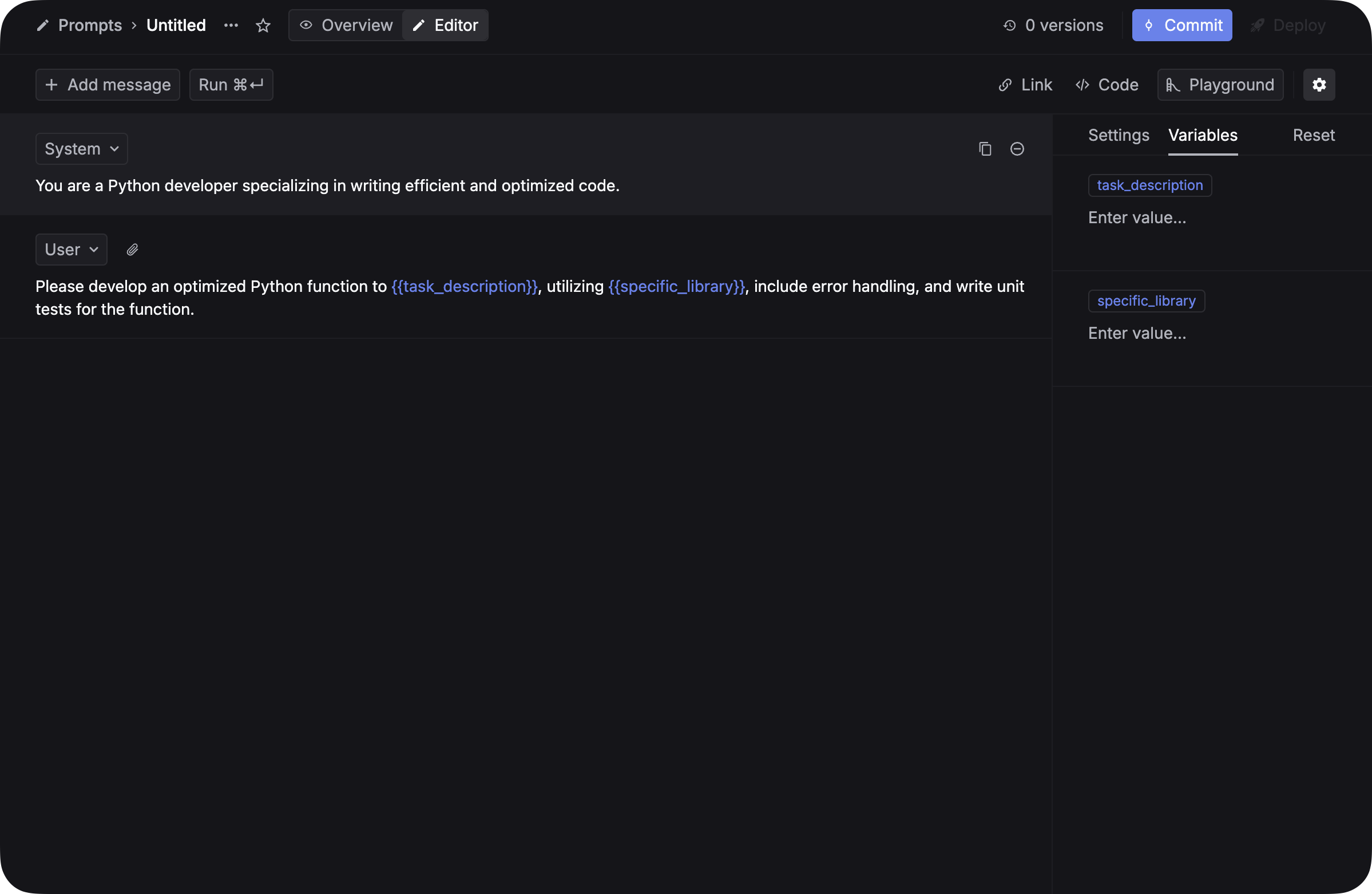
Step 1: create a prompt in the Respan Prompts page. Write the messages, declare variables.
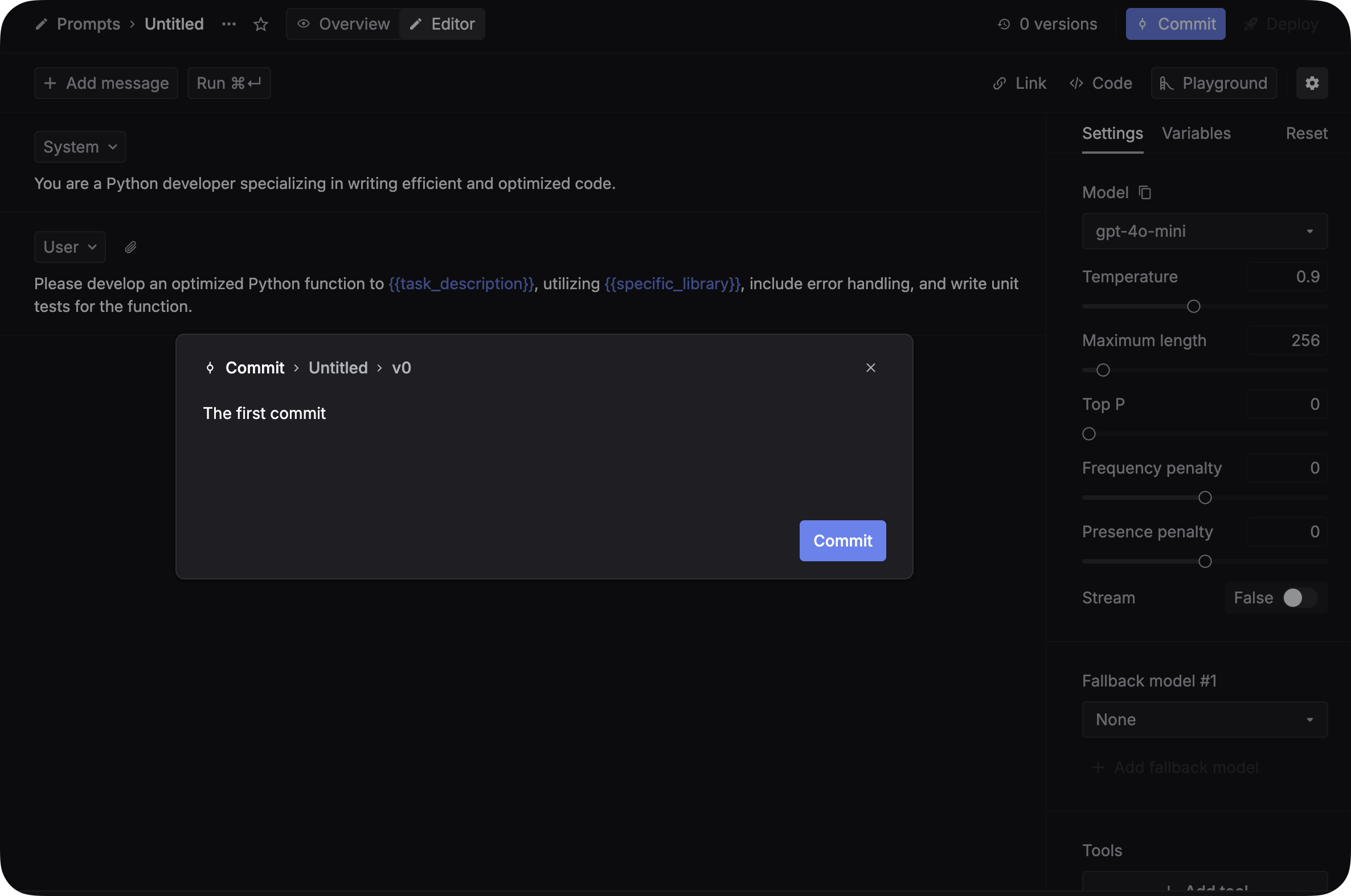
Step 2: commit a version. Add a commit message describing the change.
Step 3: deploy to an environment. The deployment history records who deployed what when.
Step 4: in code, reference the prompt by ID and pass the runtime variables:
import requests

response = requests.post(
    "https://api.respan.ai/api/chat/completions",
    headers={
        "Content-Type": "application/json",
        "Authorization": "Bearer YOUR_RESPAN_API_KEY",
    },
    json={
        "prompt": {
            "prompt_id": "YOUR_PROMPT_ID",
            "schema_version": 2,
            "variables": {
                "customer_name": "John",
                "issue_type": "billing",
            },
        },
    },
)
print(response.json())
The model, temperature, max_tokens, and the prompt template all live in the registry. Your code only passes the runtime variables.
A non-engineer (product manager, support lead) can now ship a prompt change. Engineering does nothing. The next request uses the new version automatically.
A/B testing in production
Once prompts are versioned and deployed via a registry, A/B testing becomes a deployment knob:
- Ship version 8 to 10% of traffic
- Watch the eval scores (section 5)
- If they hold, promote version 8 to 100%
- If they regress, leave 90% on the old version and iterate
This is not possible if prompts are strings in code.
Rollback
When a deploy goes wrong (and it will), rollback is one click in the deployment history. The previous version is already in the registry. You do not redeploy your application; the next request hits the rolled-back version instantly.
What you have at the end of section 3
- Every important prompt is versioned, with diffs against past versions.
- Non-engineers can change prompts without filing a PR.
- You can A/B-test and roll back without touching application code.
- You know which version produced any past response.
Next: workflows and tracing
The next section, Workflows and tracing, covers what happens when one LLM call is not enough: composing multiple calls into a workflow, and recording every step so you can debug.
Or back to the Chapter 1 hub.