Quickstart
Set up Respan
- Sign up — Create an account at platform.respan.ai
- Create an API key — Generate one on the API keys page
- Add credits or a provider key — Add credits on the Credits page or connect your own provider key on the Integrations page
Use AI
Add the Docs MCP to your AI coding tool to get help building with Respan. No API key needed.
What is prompt management?
Prompt management lets you create, version, and deploy prompt templates centrally — instead of hardcoding prompts in your application, reference them by ID.
Prerequisites
Before you begin, make sure you have:
- Respan API key — get one from the API keys page. See API keys for details.
- LLM provider key — add your provider credentials (e.g. OpenAI) on the Providers page. See LLM provider keys for details.
Create your first prompt
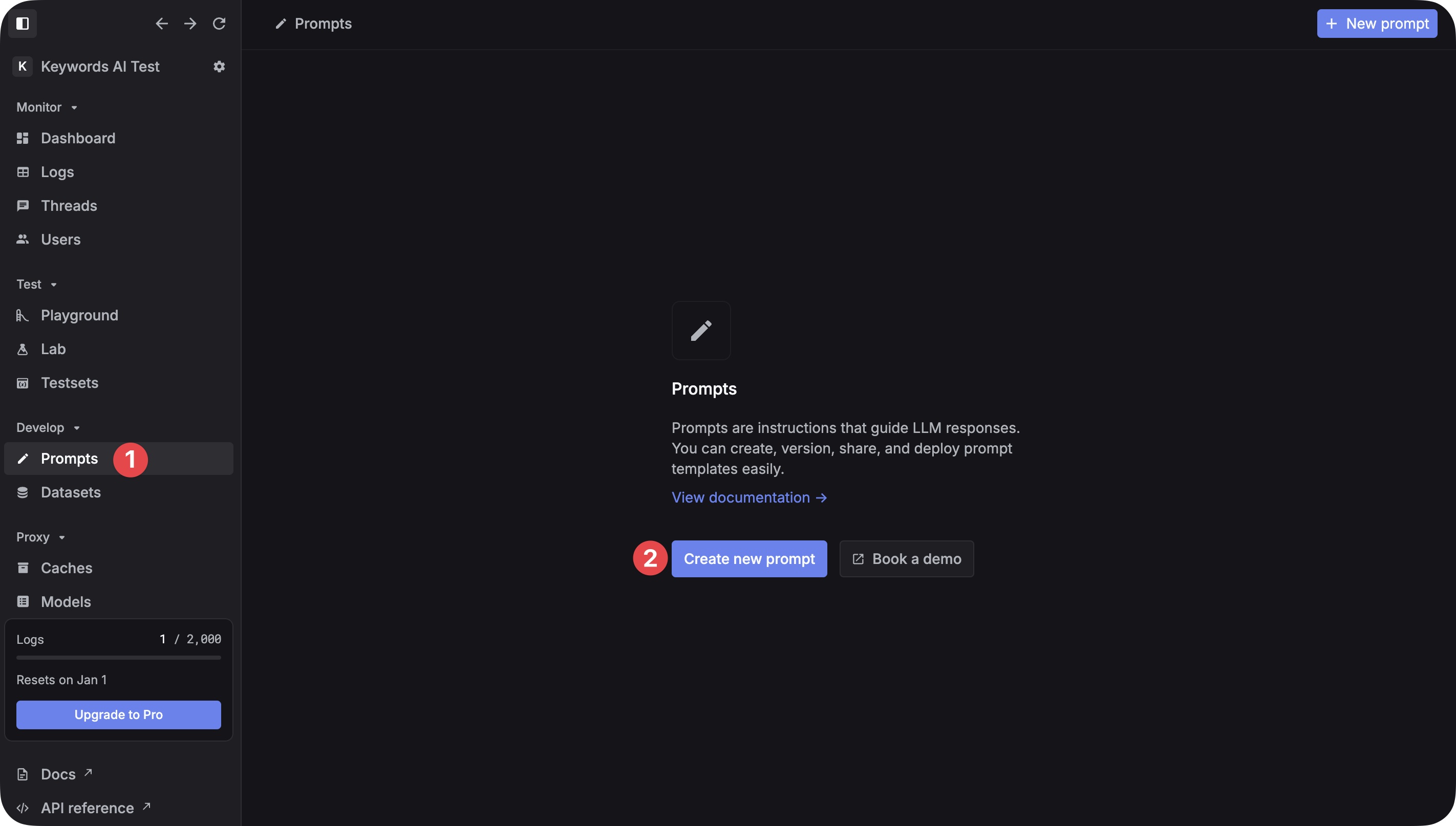
Create a new prompt
Go to the Prompts page and click Create new prompt. Name your prompt and add a description.
Configure the prompt
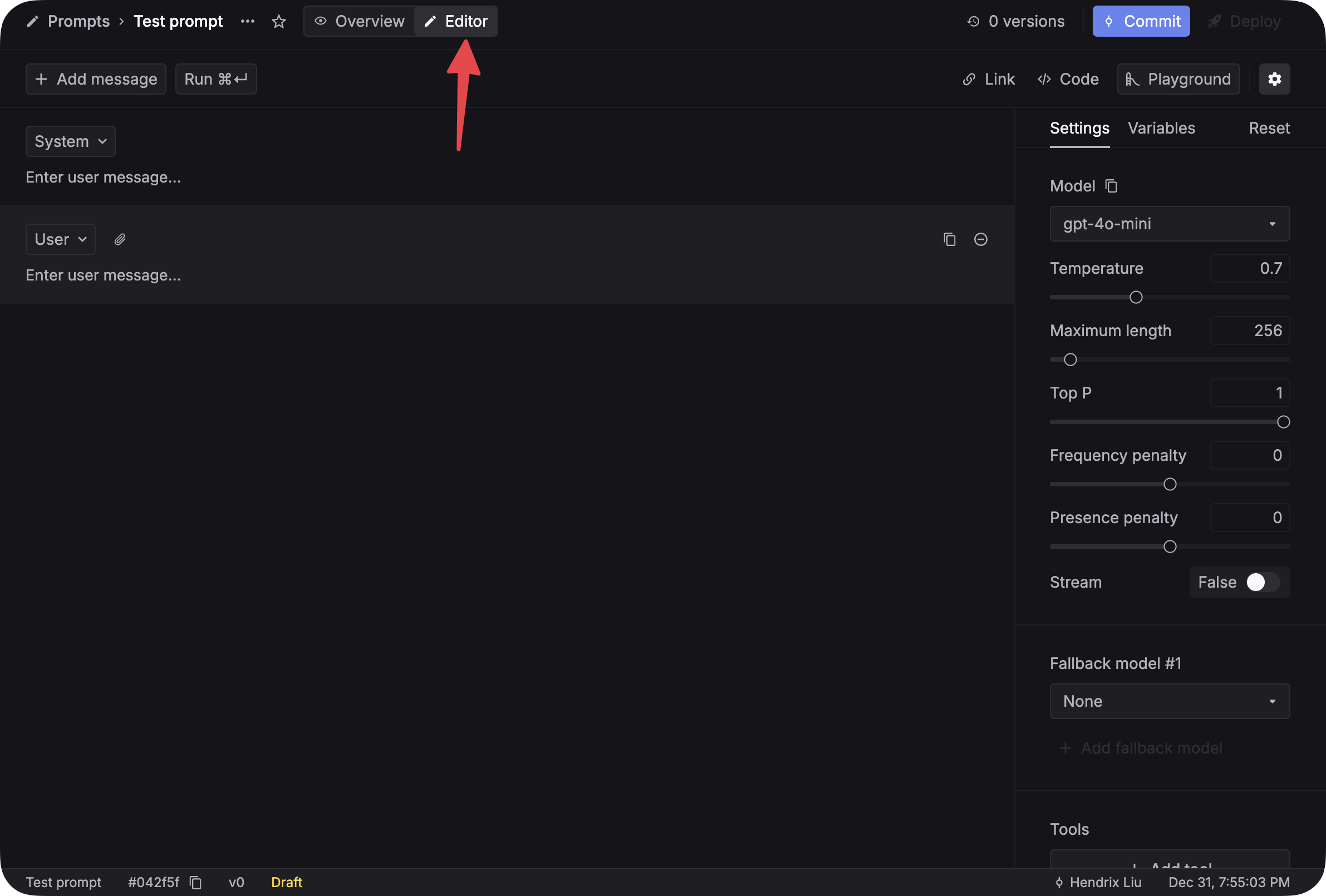
In the Editor tab, set parameters like model, temperature, max tokens, and top P in the right sidebar.
Write content with variables
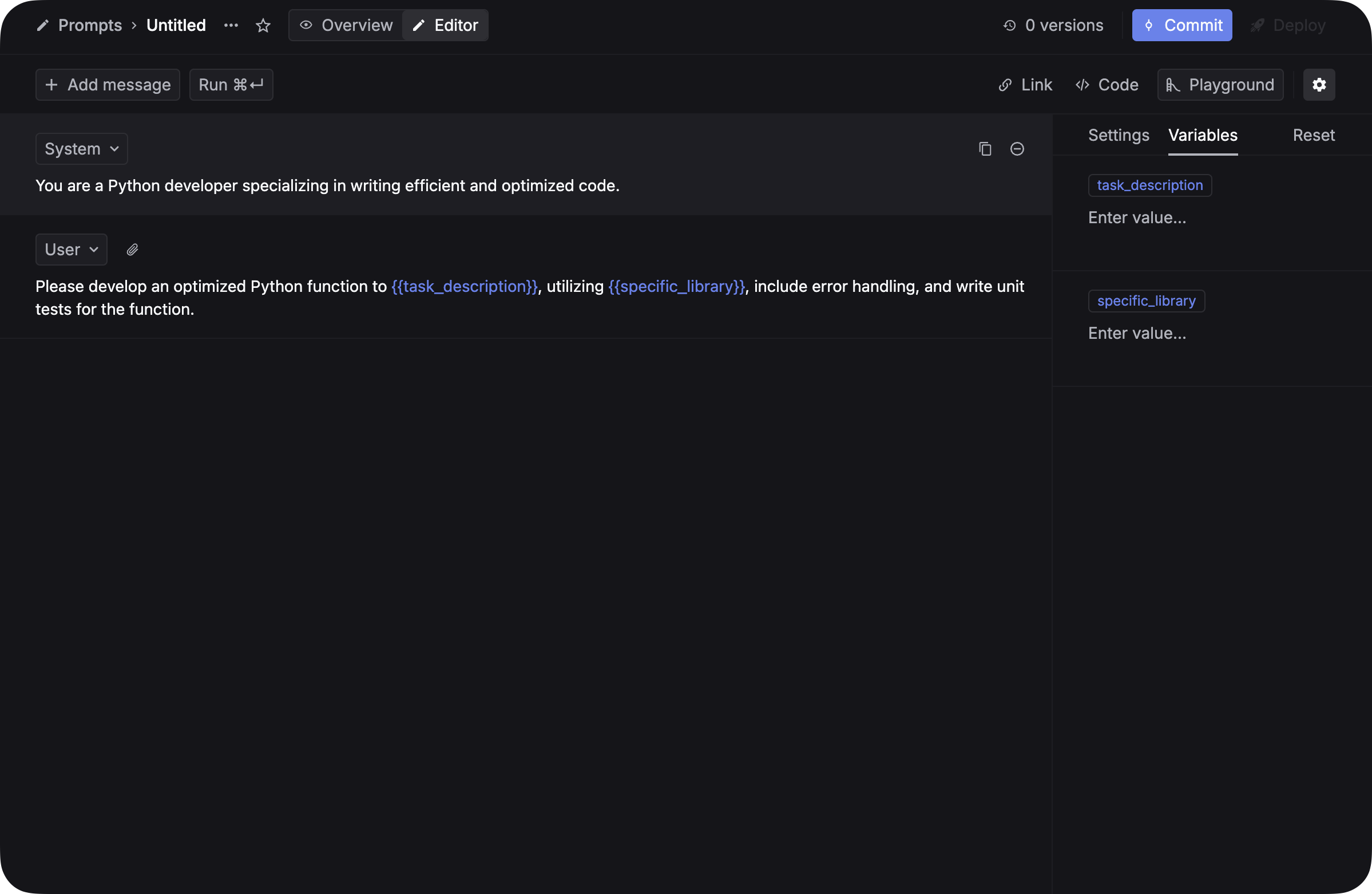
Click + Add message to add messages. Use {{variable_name}} for dynamic content — see Variables for Jinja templates, JSON inputs, and more.
Variable names must use underscores: {{task_description}} not {{task description}}.
Test and commit
- Add values for each variable in the Variables tab.
- Click Run to test.
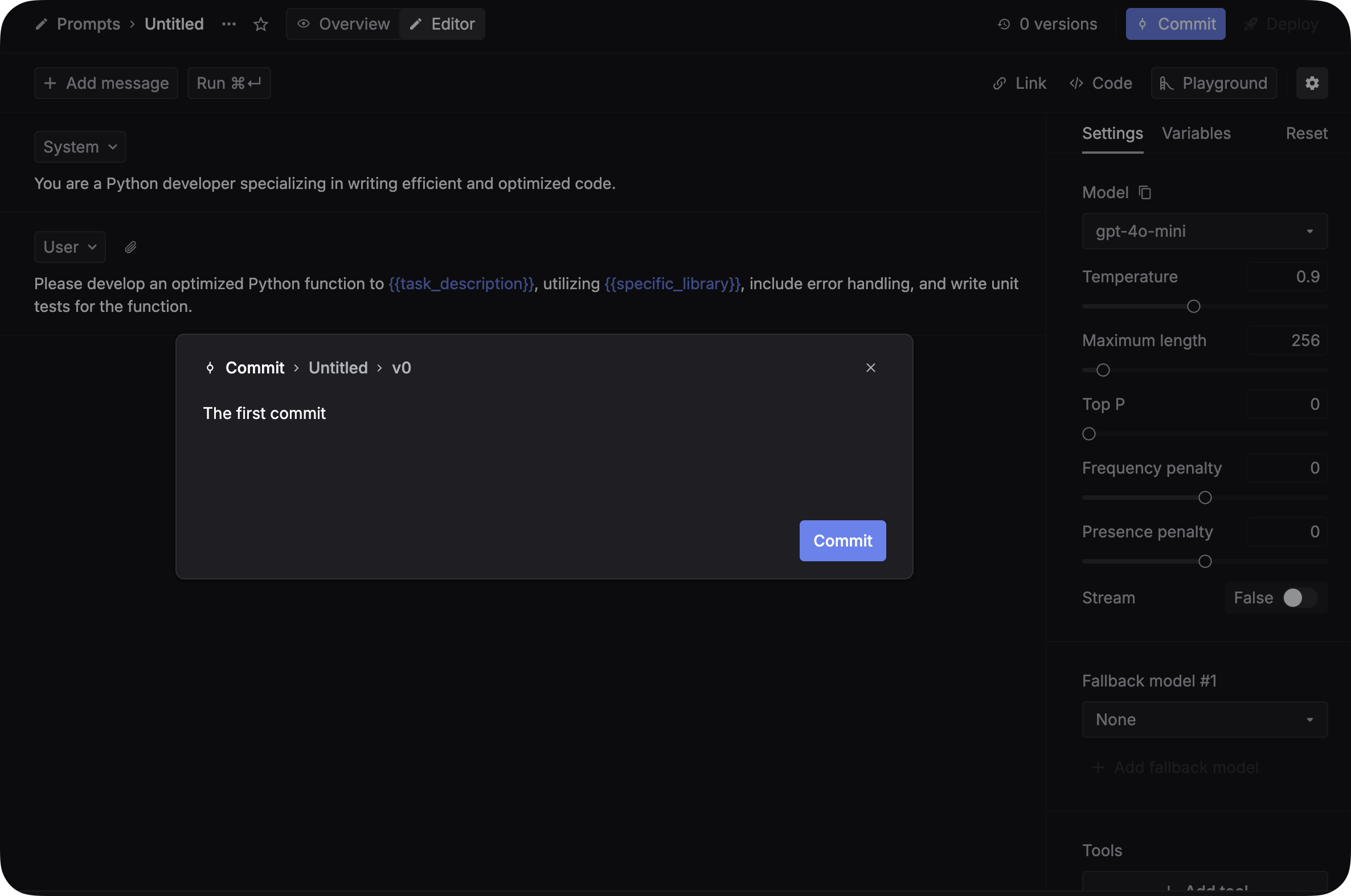
- Click Commit and write a commit message to save this version.
Avoid “Commit + deploy” unless you want changes to go live immediately.
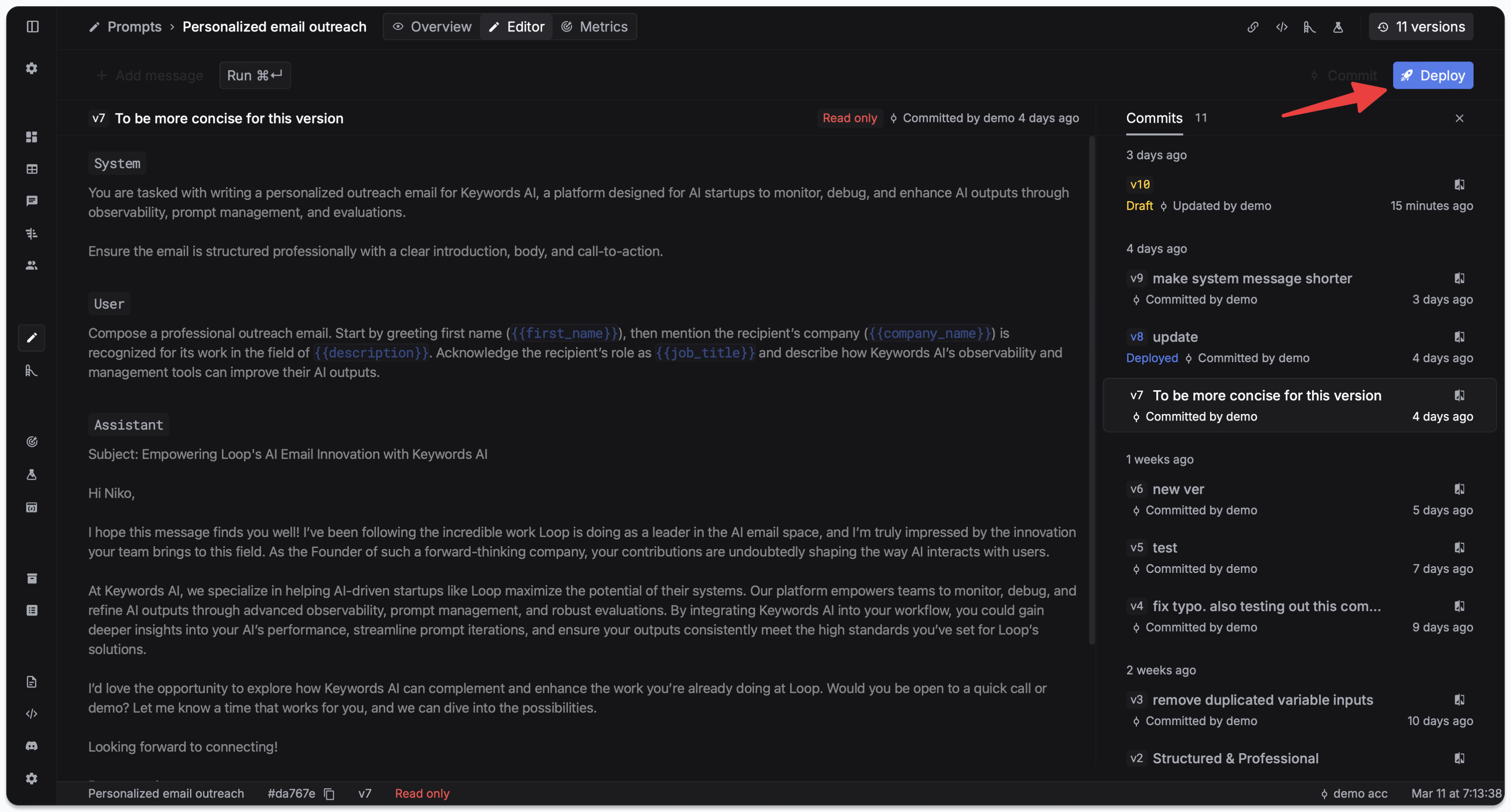
Deploy to production
Go to the Deployments tab and click Deploy. See Deployment & versioning for version pinning, rollbacks, and overrides.
Deploying immediately affects production. All API calls using this prompt will use the new version right away.
Use your prompt in code
Find the Prompt ID in the Overview panel on the Prompts page.
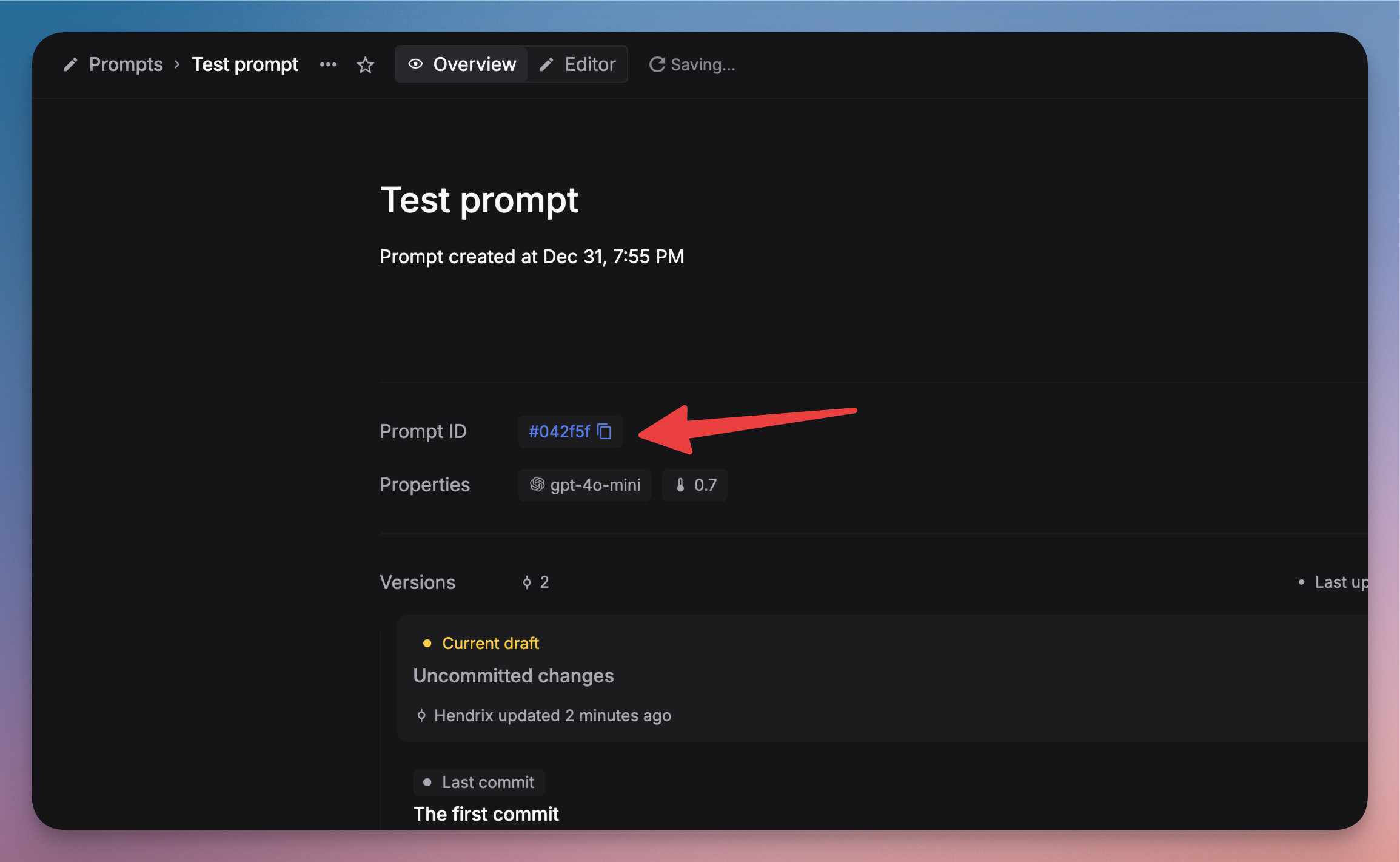
Then call it from your application using prompt schema v2 (recommended):
OpenAI SDKs strip v2 fields like schema_version and patch. Prompt schema v2 requires raw HTTP requests.
You don’t need model and messages — the prompt configuration is used automatically.
Legacy prompt schema v1 (default)
With v1, use override: true to let the prompt config win over request-body parameters. This is the default when schema_version is omitted.
See Prompt merge modes (v1 vs v2) for full details.
Monitor your prompts
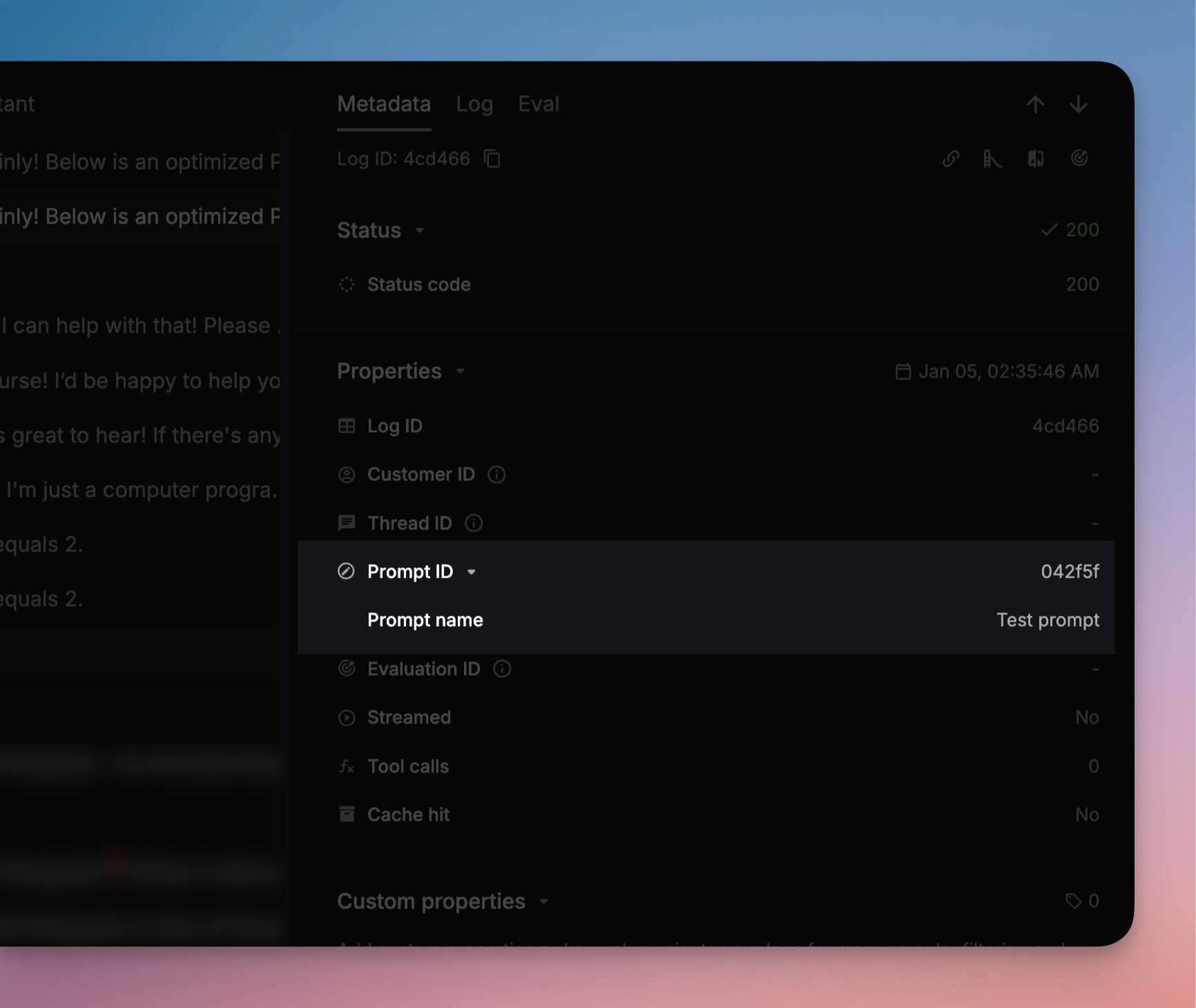
Filter logs by prompt name on the Logs page to track usage, response times, and token consumption. See Prompt logging for logging setup.
Next steps
- Variables — Jinja templates, conditionals, and JSON inputs
- JSON schema — structured output for consistent response formats
- Prompt composition — reference prompts inside other prompts
- Prompt merge modes (v1 vs v2) — control how prompt config and request params are merged
- Deployment & versioning — version pinning, rollbacks, and overrides
- Streaming — enable streaming for prompt responses
- Playground — test and iterate on prompts interactively

