Load balancing allows you to balance the request load across different deployments. You can specify weights for each deployment based on their rate limit and your preference.See all supported params here.
A deployment basically means a credential. If you add an OpenAI API key, you have one deployment. If you add 2 OpenAI API keys, you have 2 deployments.You can go to the platform and add multiple deployments for the same provider, specifying load balancing weights for each deployment.You can also load balance between deployments in your codebase using the customer_credentials field:
You can specify the available models for load balancing. For example, if you only want to use gpt-3.5-turbo in an OpenAI deployment, specify it in the available_models field or do it in the platform.Learn more about how to specify available models in the platform here.
Respan will automatically retry failed requests if the failure is a rate limit issue from the upstream provider:
Copy
model # User requested modelmodel_params = respan_models_data[model]# Exponential backoff retry logicfor i in range(0, fallback_retries): try: response = respan_response_with_load_balance(model) return response break except RateLimitError: if model_params["fallback_models"]: for fallback_model in model_params["fallback_models"]: response = respan_response_with_load_balance(fallback_model) return response sleep(2 ** i) except Exception as e: raise e
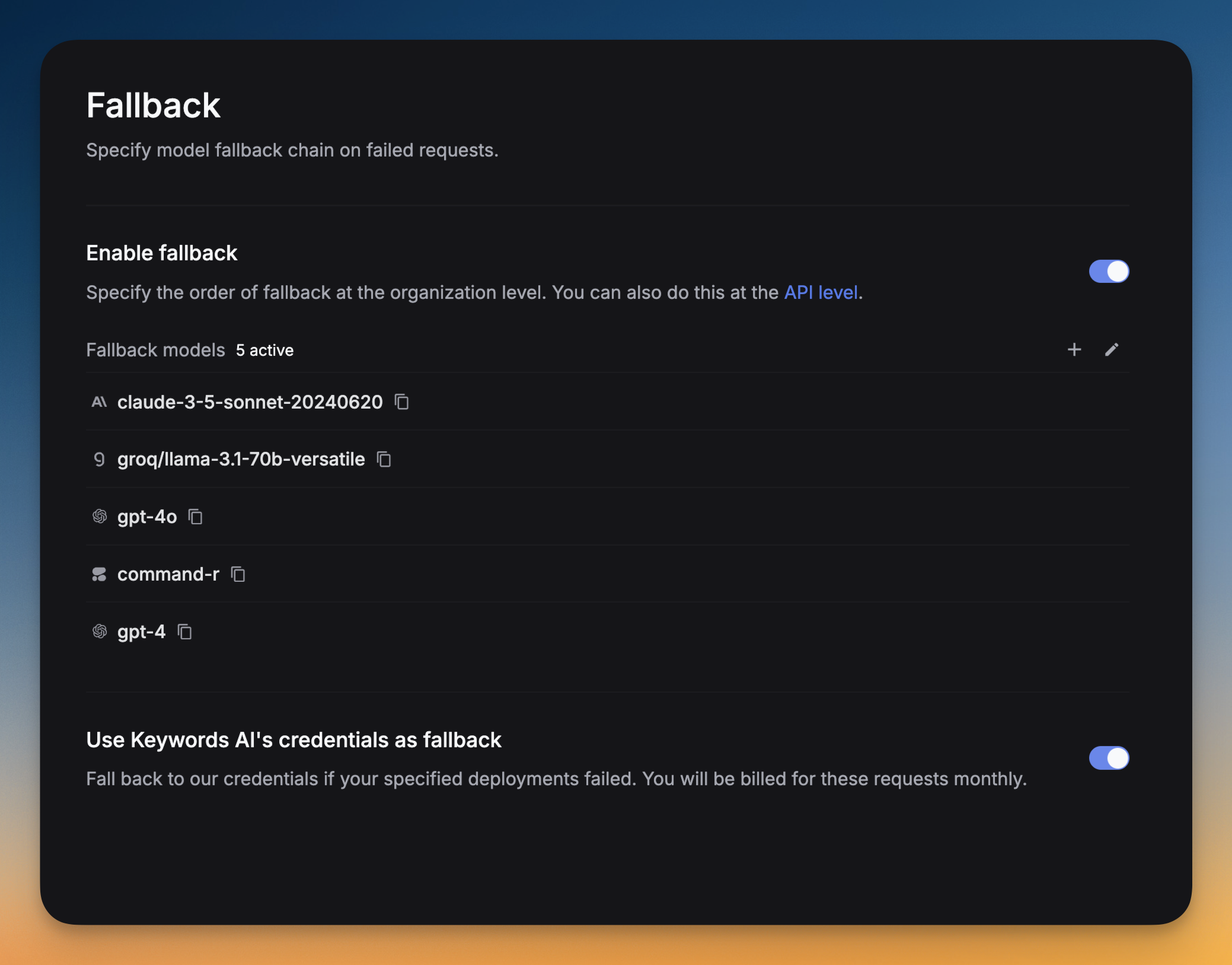
Respan catches any errors occurring in a request and falls back to the list of models you specified in the fallback_models field. This is useful to avoid downtime and ensure availability.See all Respan params here.
Via UI
OpenAI Python SDK
OpenAI TypeScript SDK
Standard API
Go to Settings -> Fallback -> Click on Add fallback models -> Select the models you want to add as fallbacks.You can drag and drop the models to reorder them. The order of the models in the list is the order in which they will be tried.
Copy
from openai import OpenAIclient = OpenAI( base_url="https://api.respan.ai/api/", api_key="YOUR_RESPAN_API_KEY",)response = client.chat.completions.create( model="gpt-4o-mini", messages=[ {"role": "user", "content": "Tell me a long story"} ], extra_body={ "fallback_models": ["claude-3-5-sonnet-20240620", "gemini-1.5-pro-002"] })
Copy
import { OpenAI } from "openai";const client = new OpenAI({ baseURL: "https://api.respan.ai/api", apiKey: "YOUR_RESPAN_API_KEY",});const response = await client.chat.completions .create({ messages: [{ role: "user", content: "Say this is a test" }], model: "gpt-4o-mini", // @ts-expect-error fallback_models: ["claude-3-5-sonnet-20240620", "gemini-1.5-pro-002"] }) .asResponse();console.log(await response.json());
You can only enable prompt caching if you are using LLM proxy for Anthropic models.
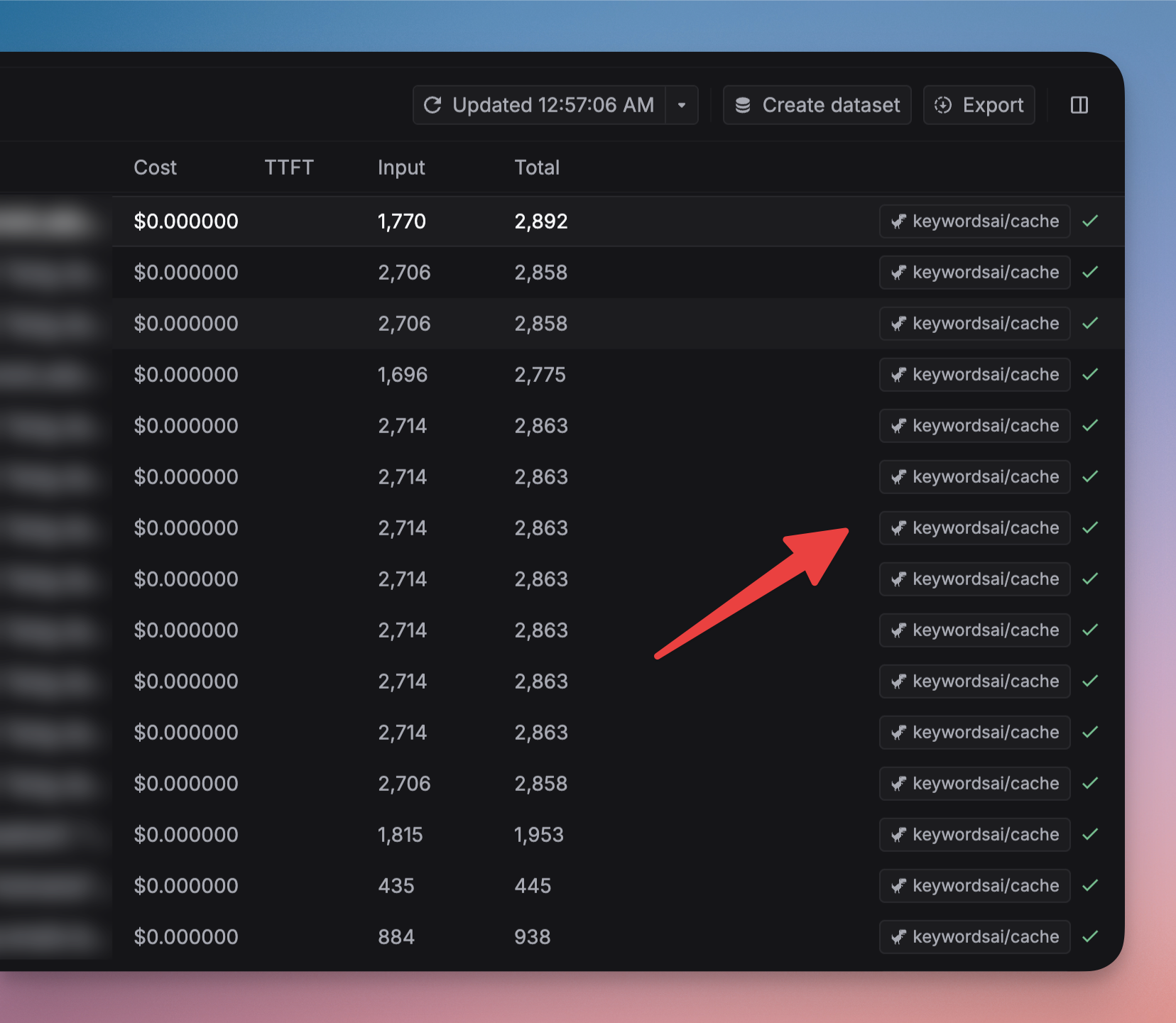
Prompt caching stores the model’s intermediate computation state. This allows the model to generate diverse responses while still saving computational costs, as it doesn’t need to reprocess the entire prompt from scratch.
Anthropic Python SDK
Anthropic TypeScript SDK
Proxy API
Copy
import anthropicclient = anthropic.Anthropic( base_url="https://api.respan.ai/api/anthropic/", api_key="Your_Respan_API_Key",)message = client.messages.create( model="claude-3-opus-20240229", system=[ { "type": "text", "text": "You are an AI assistant tasked with analyzing literary works. Your goal is to provide insightful commentary on themes, characters, and writing style.\n", }, { "type": "text", "text": "<the entire contents of 'Pride and Prejudice'>", "cache_control": {"type": "ephemeral"} } ], messages=[{"role": "user", "content": "Analyze the major themes in 'Pride and Prejudice'."}])print(message.content)
Copy
import Anthropic from "@anthropic-ai/sdk";const anthropic = new Anthropic({ baseUrl: "https://api.respan.ai/api/anthropic/", apiKey: 'YOUR_RESPAN_API_KEY',});const msg = await anthropic.messages.create({model: "claude-3-5-sonnet-20240620",system: [ { "type": "text", "text": "You are an AI assistant tasked with analyzing literary works. Your goal is to provide insightful commentary on themes, characters, and writing style.\n", }, { "type": "text", "text": "<the entire contents of 'Pride and Prejudice'>", "cache_control": {"type": "ephemeral"} } ],messages: [ { "role": "user", "content": [ { "type": "text", "text": "Why is the ocean salty?" } ] }]});console.log(msg);
Copy
import requestsdef demo_call(input, model="claude-3-5-sonnet-20240620", token="YOUR_RESPAN_API_KEY", ): headers = { 'Content-Type': 'application/json', 'Authorization': f'Bearer {token}', } data = { 'model': model, 'messages': [ { "role": "system", "content": [ { "type": "text", "text": "You are an AI assistant tasked with analyzing legal documents.", }, { "type": "text", "text": "Here is the full text of a complex legal agreement" * 400, "cache_control": {"type": "ephemeral"}, }, ], }, { "role": "user", "content": input, }, ] } response = requests.post('https://api.respan.ai/api/chat/completions', headers=headers, json=data) return responsemessages = "what are the key terms and conditions in this agreement?'"print(demo_call(messages).json())
How does prompt caching work?
All information is from Anthropic’s documentation.When you send a request with prompt caching enabled:
The system checks if a prompt prefix, up to a specified cache breakpoint, is already cached from a recent query.
If found, it uses the cached version, reducing processing time and costs.
Otherwise, it processes the full prompt and caches the prefix once the response begins.
This is especially useful for:
Prompts with many examples
Large amounts of context or background information
Repetitive tasks with consistent instructions
Long multi-turn conversations
The cache has a 5-minute lifetime, refreshed each time the cached content is used.
Pricing for Anthropic models
Model
Base Input Tokens
Cache Writes
Cache Hits
Output Tokens
Claude 3.5 Sonnet
$3 / MTok
$3.75 / MTok
$0.30 / MTok
$15 / MTok
Claude 3.5 Haiku
$1 / MTok
$1.25 / MTok
$0.10 / MTok
$5 / MTok
Claude 3 Haiku
$0.25 / MTok
$0.30 / MTok
$0.03 / MTok
$1.25 / MTok
Claude 3 Opus
$15 / MTok
$18.75 / MTok
$1.50 / MTok
$75 / MTok
Cache write tokens are 25% more expensive than base input tokens
Cache read tokens are 90% cheaper than base input tokens
Regular input and output tokens are priced at standard rates
Supported models and limitations
Prompt caching is currently supported on: Claude 3.5 Sonnet, Claude 3.5 Haiku, Claude 3 Haiku, Claude 3 Opus.Minimum cacheable prompt length:
1024 tokens for Claude 3.5 Sonnet and Claude 3 Opus
2048 tokens for Claude 3.5 Haiku and Claude 3 Haiku
Shorter prompts cannot be cached, even if marked with cache_control.
Function calling allows you to call a function from a model and get the result.
Copy
from openai import OpenAIclient = OpenAI( base_url="https://api.respan.ai/api/", api_key="YOUR_RESPAN_API_KEY",)tools = [ { "type": "function", "function": { "name": "get_current_weather", "description": "Get the current weather in a given location", "parameters": { "type": "object", "properties": { "location": { "type": "string", "description": "The city and state, e.g. San Francisco, CA", }, "unit": {"type": "string", "enum": ["celsius", "fahrenheit"]}, }, "required": ["location"], }, } }]messages = [{"role": "user", "content": "What's the weather like in Boston today?"}]completion = client.chat.completions.create( model="gpt-4o", messages=messages, tools=tools, tool_choice="auto")print(completion)
Thinking mode allows supported models to show their reasoning process before providing the final answer.
Copy
payload = { "model": "claude-sonnet-4-20250514", "max_tokens": 16000, "thinking": { "type": "enabled", "budget_tokens": 10000 }, "messages": [ { "role": "user", "content": "Are there an infinite number of prime numbers such that n mod 4 == 3?" } ]}
Parameters:
type: Set to "enabled" to activate thinking mode
budget_tokens: Maximum number of tokens allocated for the thinking process (optional)
Choose models that support thinking like gpt-5, claude-sonnet-4-20250514. See the Log Thinking documentation for details on the response structure.
This feature is available for the LLM proxy (chat completions endpoint) and Async logging.
At Respan, data privacy is our priority. Set the disable_log parameter to true to disable logging for sensitive data.The following fields will not be logged: full_request, full_response, messages, prompt_messages, completion_message, tools.See all supported parameters here.
OpenAI Python SDK
OpenAI TypeScript SDK
Standard API
Copy
from openai import OpenAIclient = OpenAI( base_url="https://api.respan.ai/api/", api_key="YOUR_RESPAN_API_KEY",)response = client.chat.completions.create( model="gpt-4o-mini", messages=[ {"role": "user", "content": "Tell me a long story"} ], extra_body={ "disable_log": True })
Copy
import { OpenAI } from "openai";const client = new OpenAI({ baseURL: "https://api.respan.ai/api", apiKey: "YOUR_RESPAN_API_KEY",});const response = await client.chat.completions .create({ messages: [{ role: "user", content: "Say this is a test" }], model: "gpt-4o-mini", // @ts-expect-error disable_log: true }) .asResponse();console.log(await response.json());
When streaming is enabled, Respan forwards the streaming response to your end token by token. This is useful when you want to process the output as soon as it is available, rather than waiting for the entire response.See all params here.
Copy
from openai import OpenAIclient = OpenAI( base_url="https://api.respan.ai/api/", api_key="YOUR_RESPAN_API_KEY",)response = client.chat.completions.create( model="gpt-4o-mini", messages=[{"role": "user", "content": "Hello"}], stream=True,)for chunk in response: print(chunk)